Guides › Information cards
The Bluesky card
Theatrium ProWorks with: Any Apple TVAbout 2 minutes to set up
Posts from the Bluesky accounts you pick, rotating one at a time the same way the News card does.
What it shows
One post at a time: the account's name and handle, the post's text, and its picture if it has one. The card shuffles through the accounts you chose and moves on every few seconds. It is read-only — there is nothing to reply to or post from Theatrium, and no sign-in is needed, since it reads Bluesky's public posts.
Add the card
Every card is added the same way. If you have done this before, skip ahead.
- On the dashboard, move to a card you want to replace. Press and hold the center of the remote's pad for about a second. The card dims and a Modify button appears on it.
Hold the center of the pad on the card you want to change. - Press the center once to choose Modify. The Choose a card screen opens.
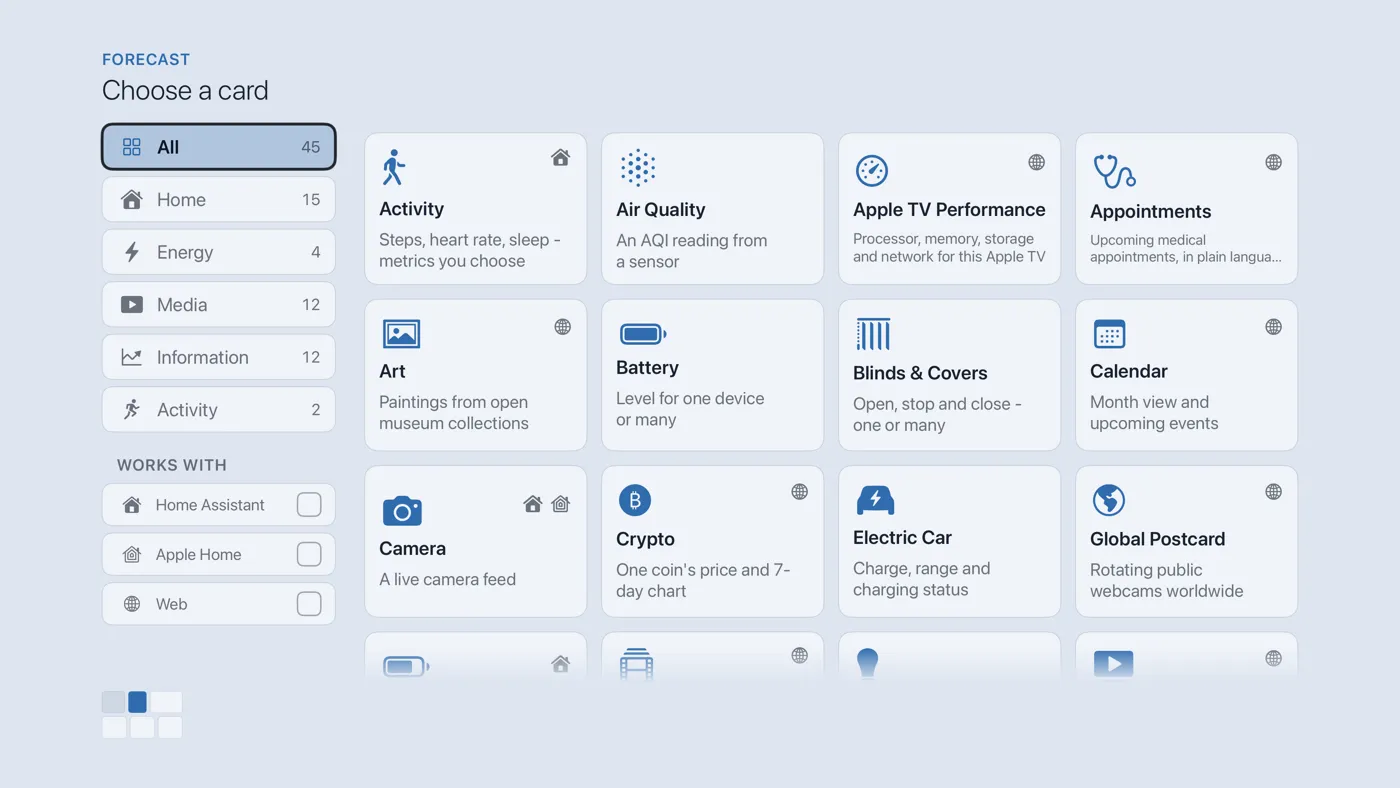
The Choose a card screen. The list down the left side narrows the cards by group. - On the left, choose Information, then move right and choose Bluesky. (You can also leave the list on All and scroll; it is in alphabetical order.)
- Choose accounts: tick as many of the curated accounts as you like, grouped by topic — Space & Science, Nature & Wildlife, News, Business, Sports, Technology, Home, and Bluesky itself. Focus an account to preview it live. Under Add your own, type a handle (such as
nasa.gov) to add an account that is not listed. Under Leave out, list words that should make a post be skipped. Choose Match the theme or Original color for pictures. - Finish with the Add button (it reads Add 1 account and so on as you tick more). You return to the dashboard with the new card in place.
Good to know
- Nothing to press; the posts change on their own.
- Display only — no sign-in, no posting, no replying, and nothing is written back to Bluesky.
- Reposts are left out by default, and a post flagged sensitive by its author is always skipped.
- The skip-words list is a kindness for a screen in a shared room: type the names of topics you would rather not see, and posts whose text contains them are left out.