New in Theatrium 1.9.2

Let’s Theatrium like it’s 1999.

Classic turns your Apple TV into a dashboard styled like pre-millennium operating systems, and uses it to watch over a thoroughly modern Apple Home. It works with Home Assistant too.
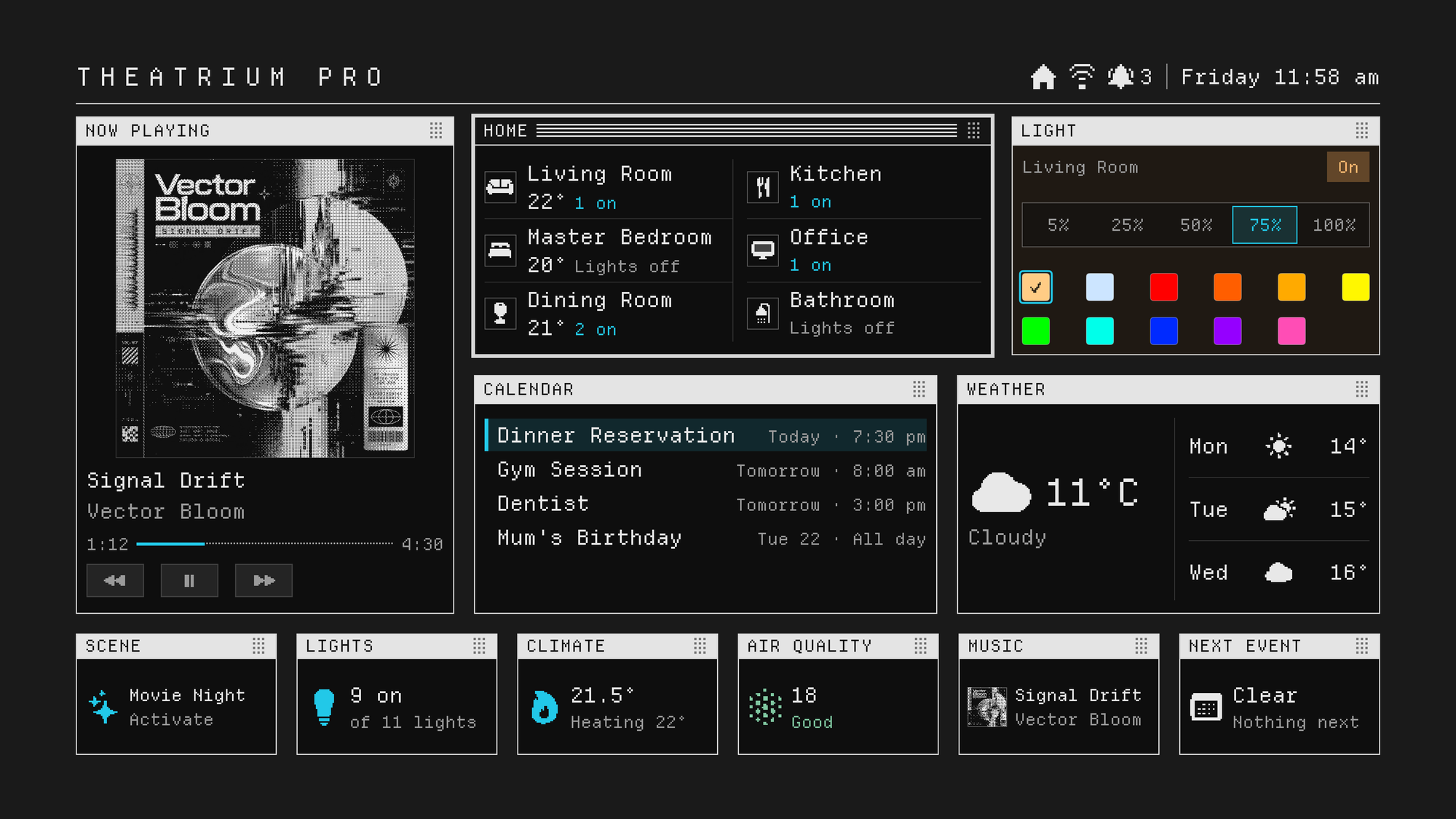
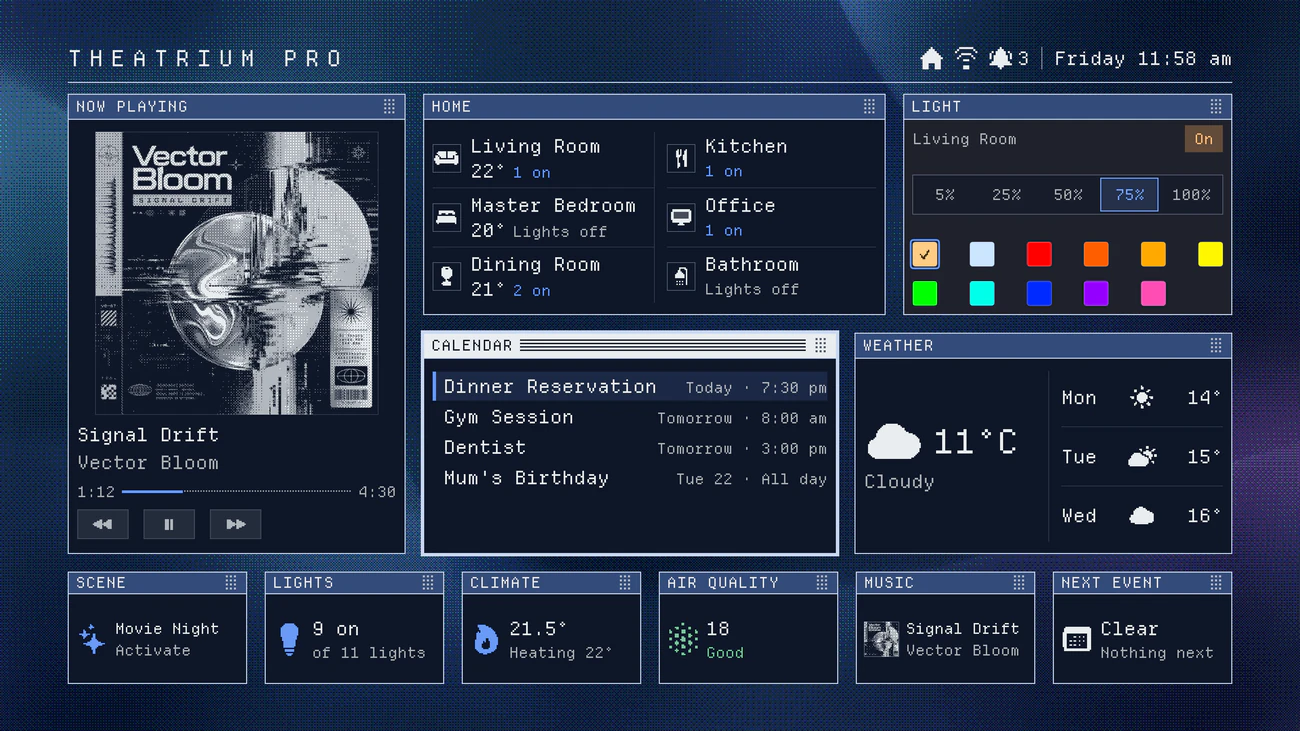
The Classic dashboard on Apple TV: a Now Playing window with dithered album art, Home rooms, a Light card, Calendar and Weather, and a row of small cards along the bottom, all set in pixel type inside striped windows.
Classic in its original Cyan. The Home window has focus, so its title bar is dark and striped.
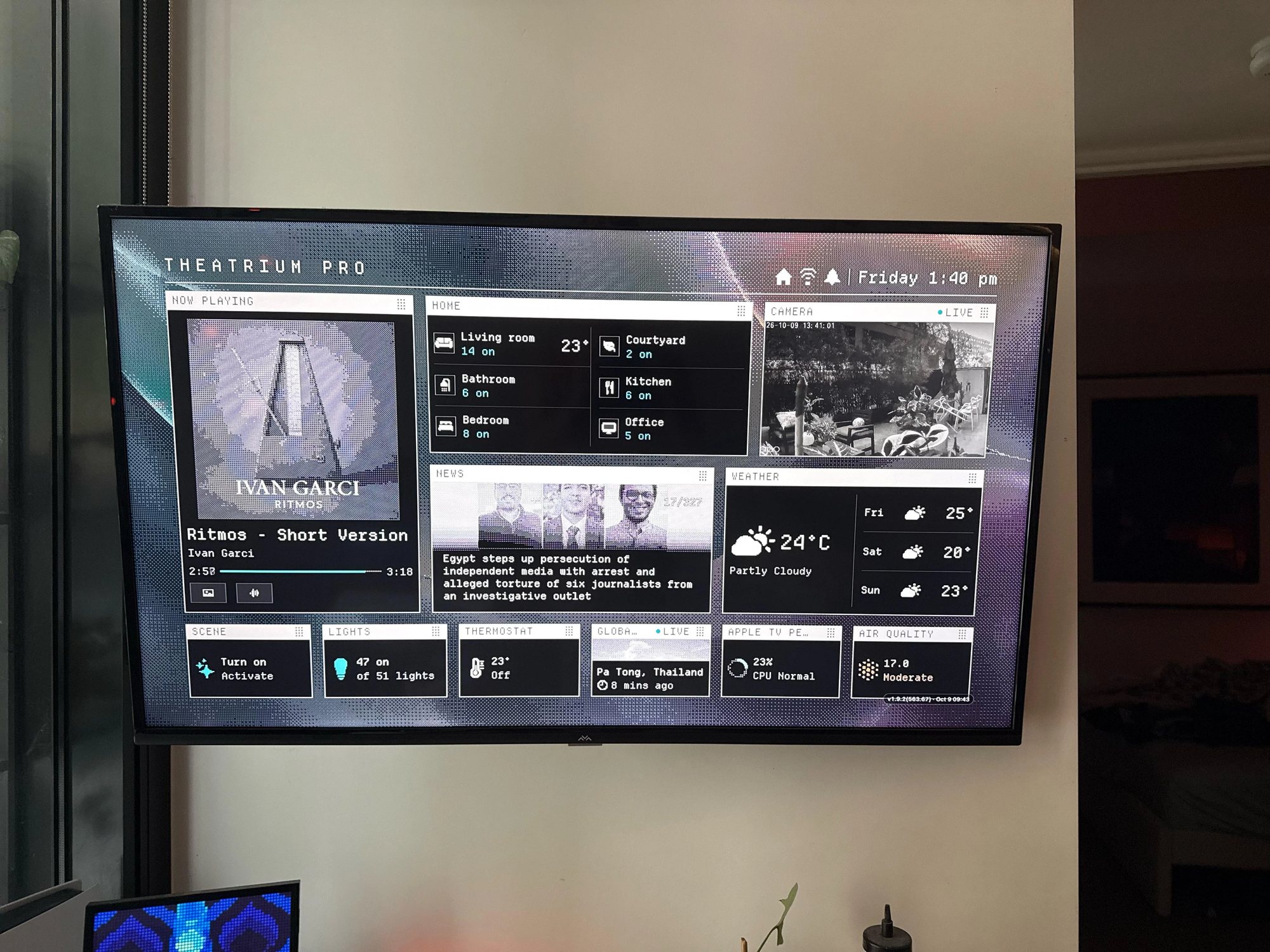
Classic running on a wall-mounted television: Now Playing with dithered album art, Home rooms, a live camera, News, Weather and a strip of small cards along the bottom.
Classic on a real Apple TV.

About Theatrium

Theatrium turns the biggest screen in the house into a real-time dashboard for your home – lights, climate, cameras, energy, your calendar and the weather – and a music visualizer worth leaving on. It works with Apple Home and Home Assistant, or with no smart home at all. Theatrium is free; Pro is a one-time purchase, with no subscription.

Window frames

Every card sits in its own window. The window the remote is on takes a striped, dark active title bar, so focus reads from across the room.
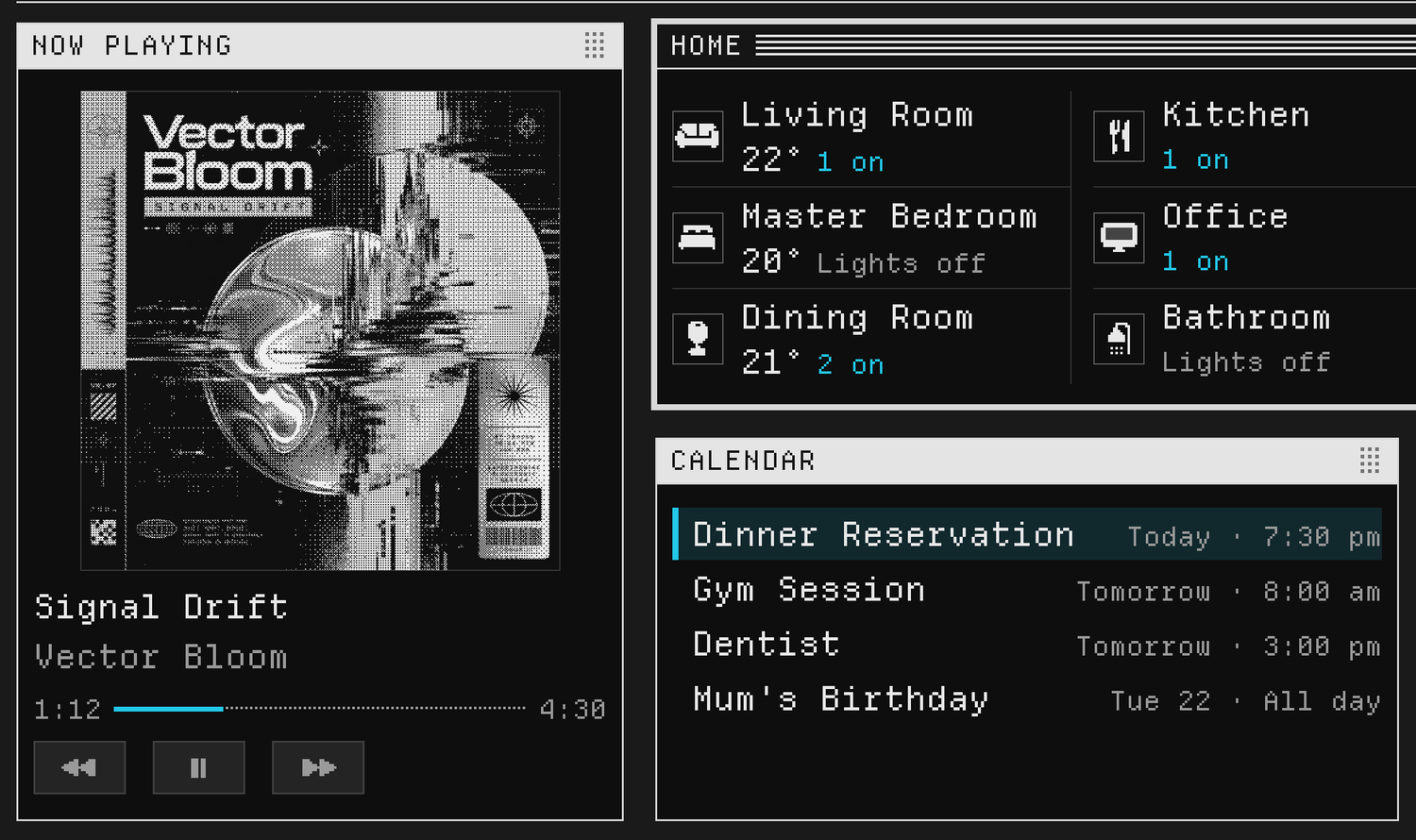
Three Classic windows. Home, in the middle, has a dark title bar with light stripes. Now Playing and Calendar have plain light title bars.
Home has focus. Now Playing and Calendar wait with light title bars.

Pixel type, pixel art

A pixel typeface snapped to the screen’s grid, and icons, dials and graphs redrawn as pixel art.
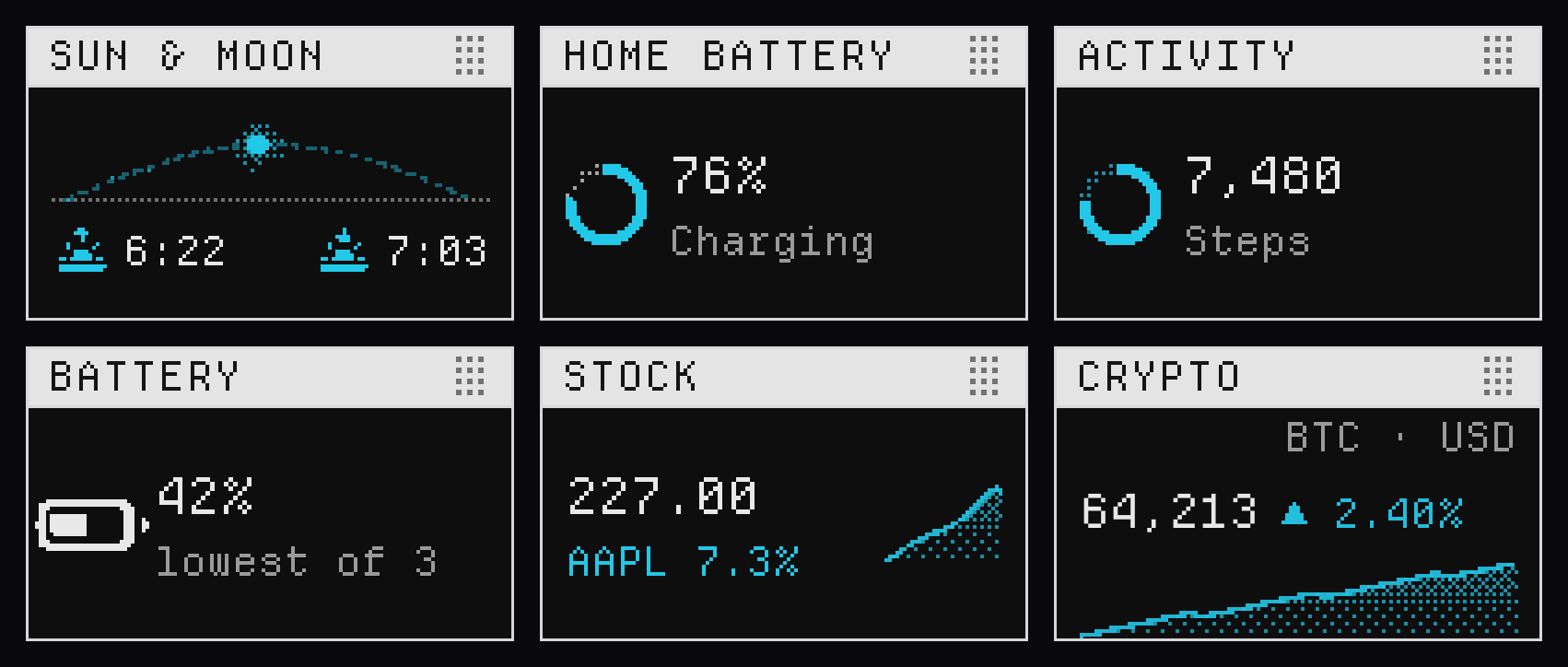
Six small Classic cards: sunrise and sunset on an arc, a home battery ring, an activity ring, a battery gauge, and stock and crypto graphs, each drawn in pixels.
Dials, gauges and graphs, redrawn on the same grid.
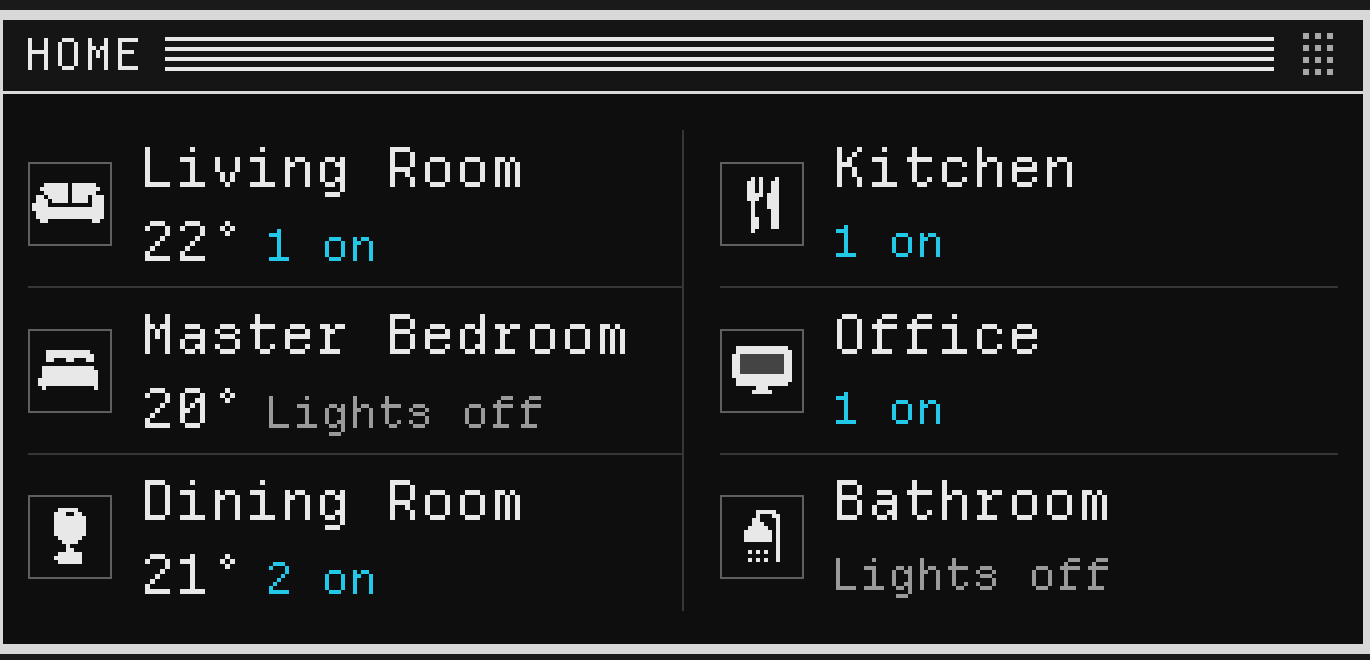
The Home window: room names in pixel type beside small pixel icons of a sofa, a bed, a lamp, cutlery, a monitor and a shower.
Pixel type, with an icon for every room.
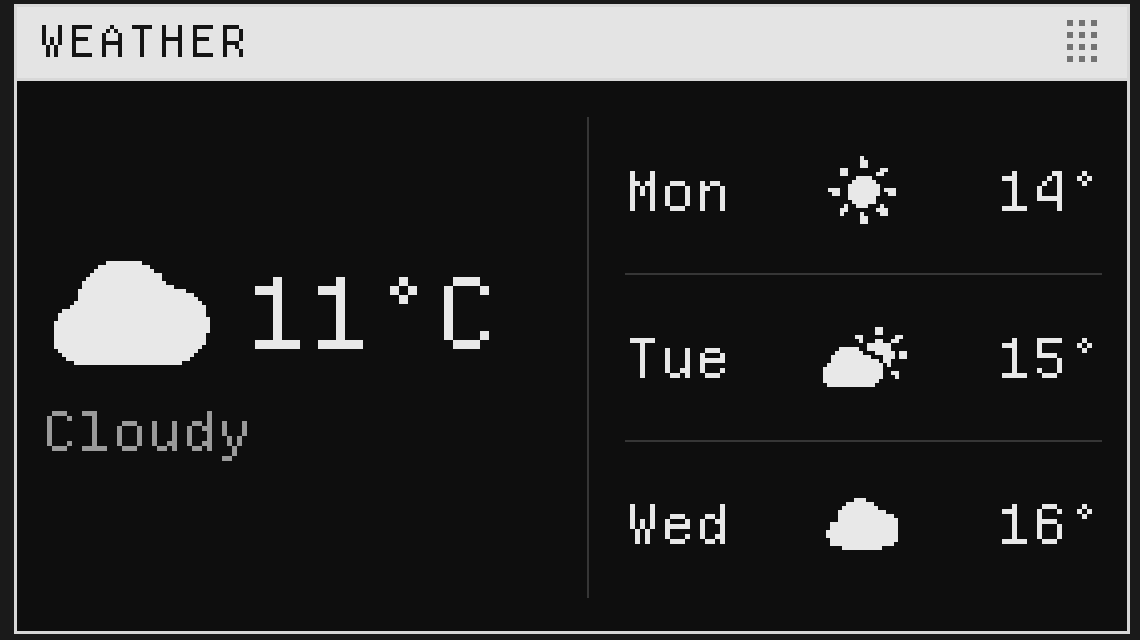
The Weather window: a pixel cloud beside the temperature, and a three-day forecast with pixel sun and cloud glyphs.
Weather glyphs, drawn pixel by pixel.

Dithered pictures

Album art, camera stills and photos drawn as ordered-dither pixels. Backgrounds are pixelated too.
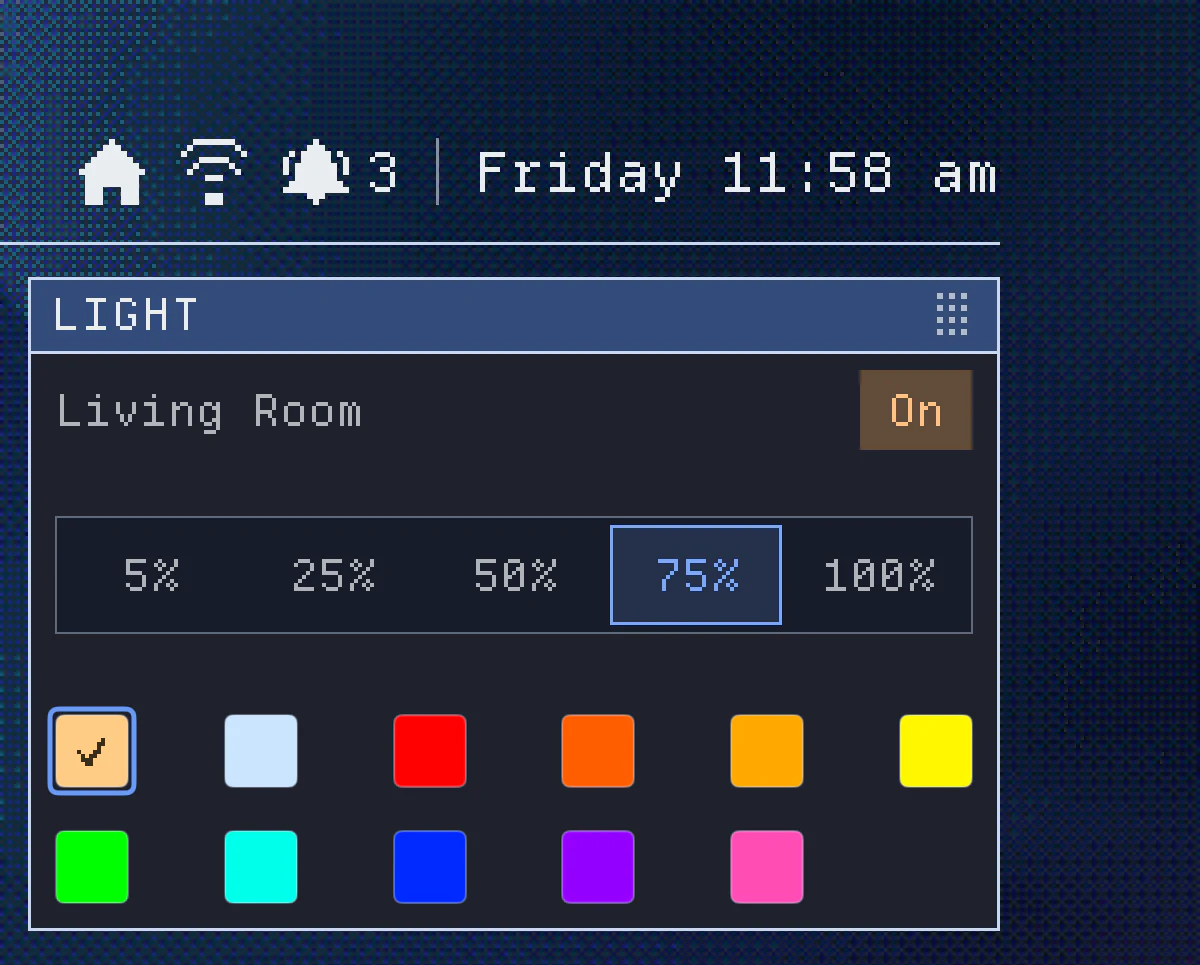
The top right of a Navy Classic dashboard: a pixelated, dithered background behind the clock and a Light window.
The background picture is pixelated to match.
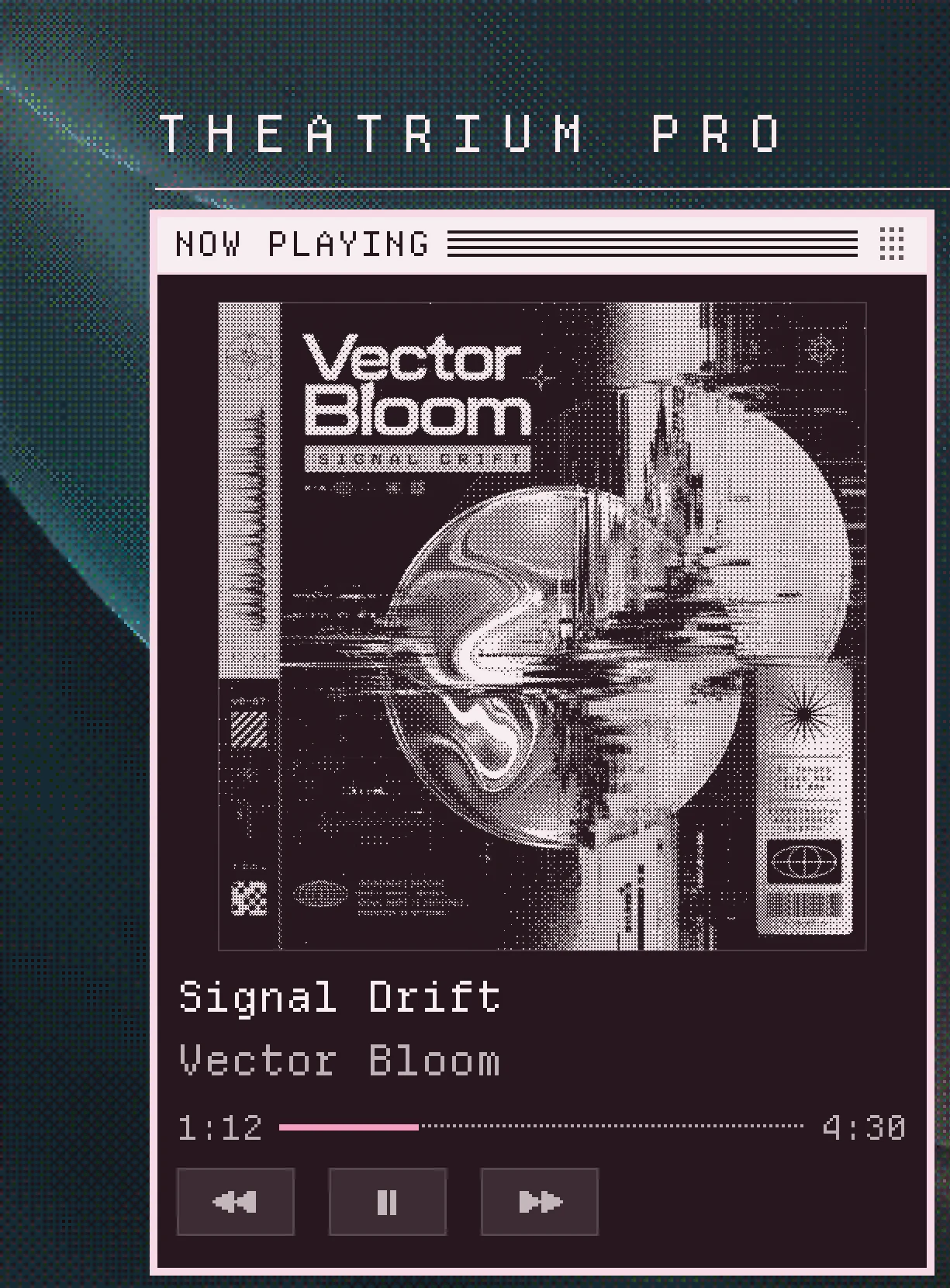
A Classic Now Playing window in Rose. The album cover is drawn as ordered-dither pixels, over a dithered background picture.
Album art, drawn in ordered dither.

Seven colors

Cyan, the original monochrome look, then Ice Blue, Antique Gold, Jade, Navy, Rose and Gloss Black. Each tints the windows, title bars and background. Halloween mode dresses Classic too.
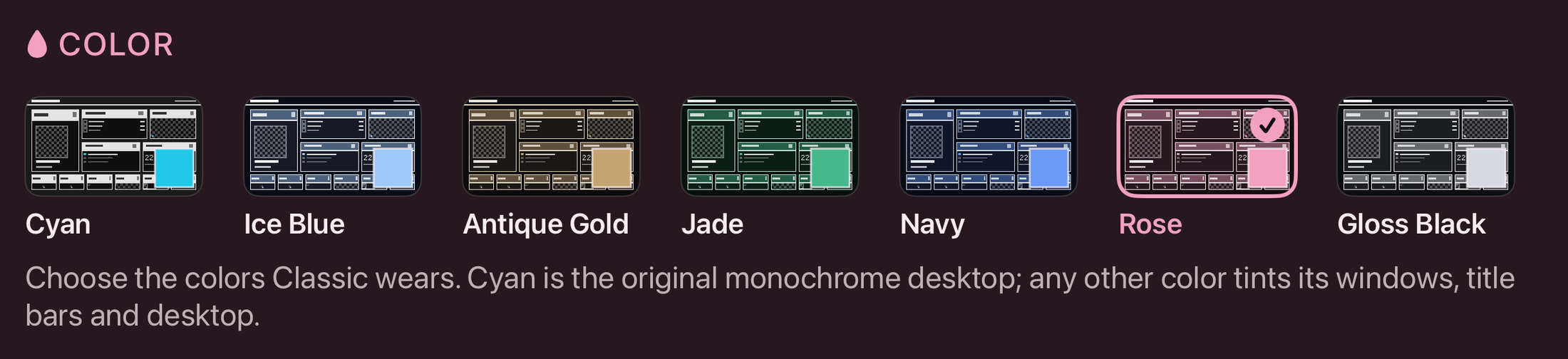
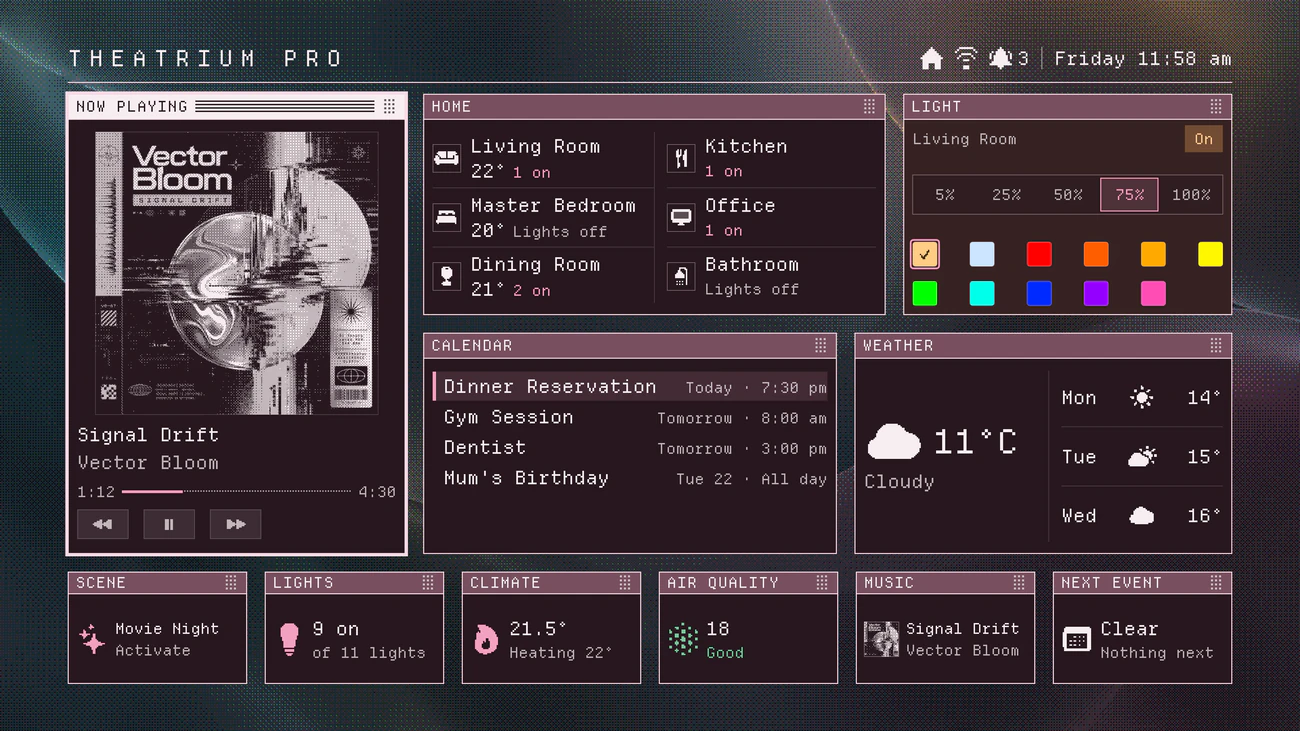
Settings, Appearance, Color: seven small previews of the Classic dashboard labeled Cyan, Ice Blue, Antique Gold, Jade, Navy, Rose and Gloss Black.
Settings › Appearance. Cyan is the original; every other color tints the windows, title bars and background.
The Classic dashboard in Rose, with mauve title bars over a dithered picture.
Rose
The Classic dashboard in Navy, with blue title bars over a dithered picture.
Navy
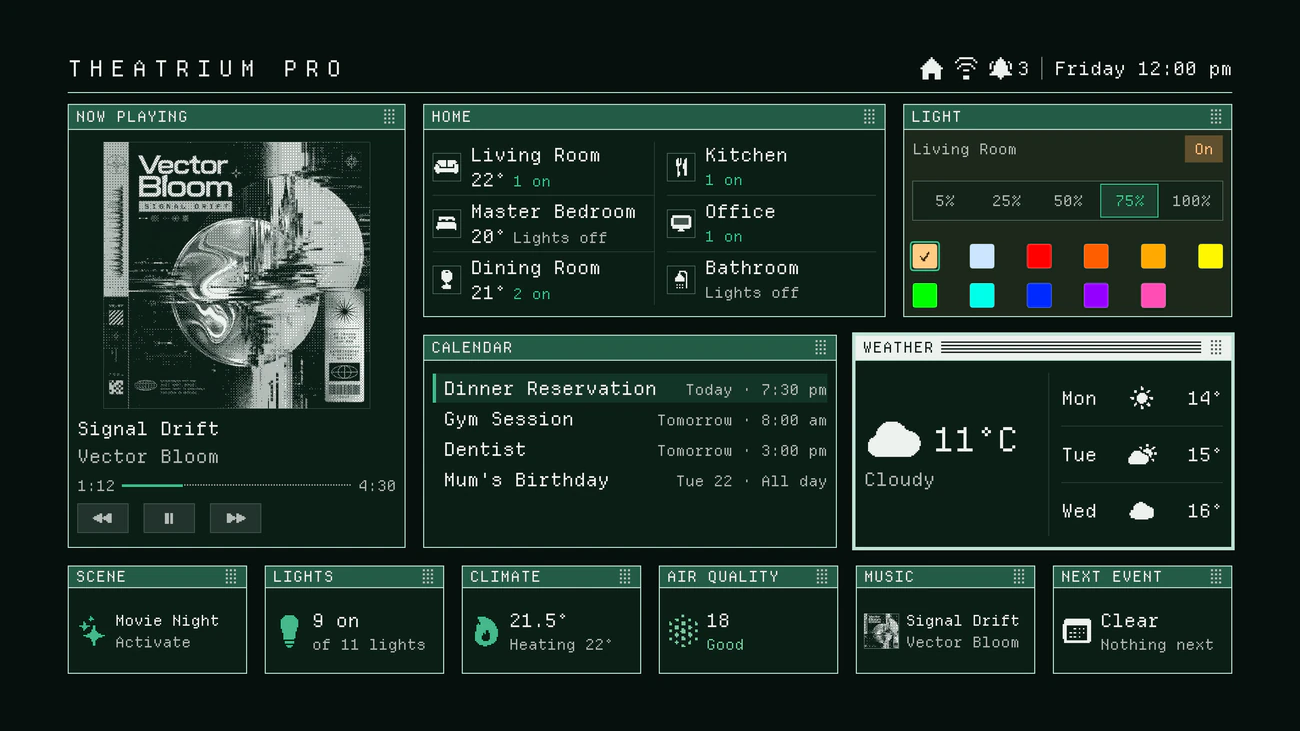
The Classic dashboard in Jade, with green title bars on a deep green background.
Jade
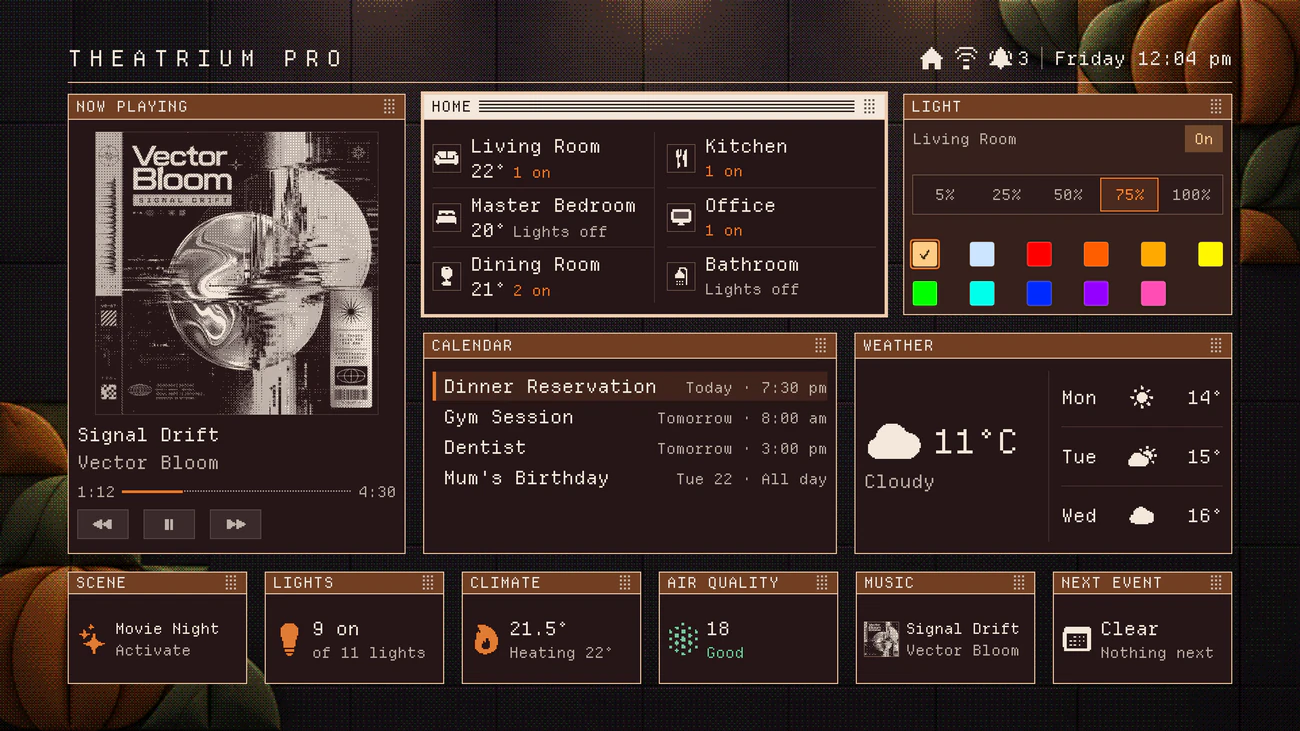
The Classic dashboard with Halloween mode on: orange title bars over a background of pixelated pumpkins.
Halloween mode

The cards

Each card is redrawn for Classic, including the small size that lines the bottom row. Here is what fits.

  • Lights
  • Rooms
  • Thermostat
  • Scenes
  • Locks
  • Cameras
  • Calendar
  • Weather
  • Now Playing
  • Countdowns
  • Timers
  • To-dos
  • Air quality
  • Energy – solar, home battery, EV
  • Markets and crypto
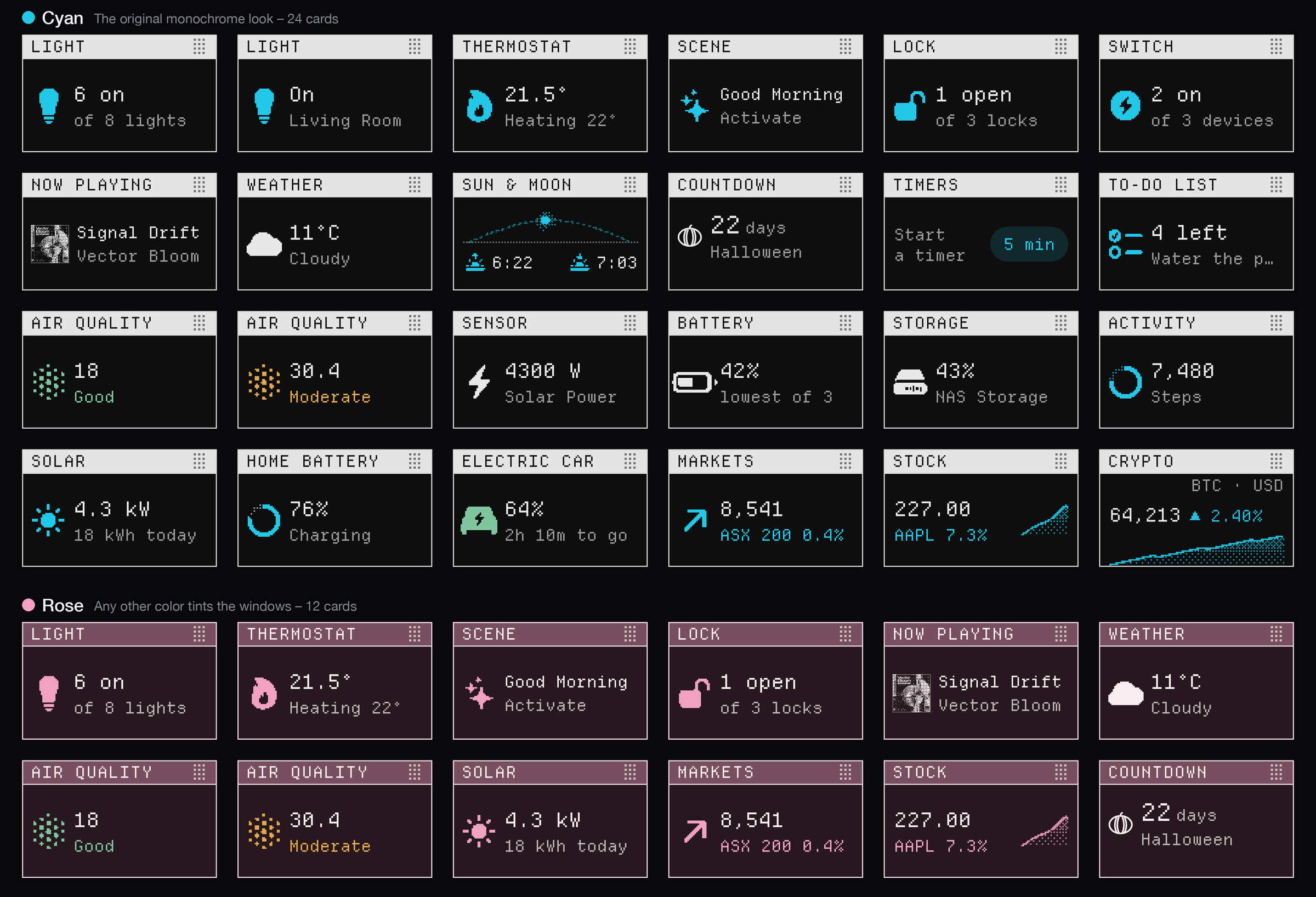
A sheet of 36 Classic cards at their small size, 24 in Cyan and 12 in Rose: light, thermostat, scene, lock, switch, now playing, weather, sun and moon, countdown, timers, to-do list, air quality, sensor, battery, storage, activity, solar, home battery, electric car, markets, stock and crypto.
Cards at Classic’s small size, in Cyan and Rose.

Pair it with the CD and cassette visualizers

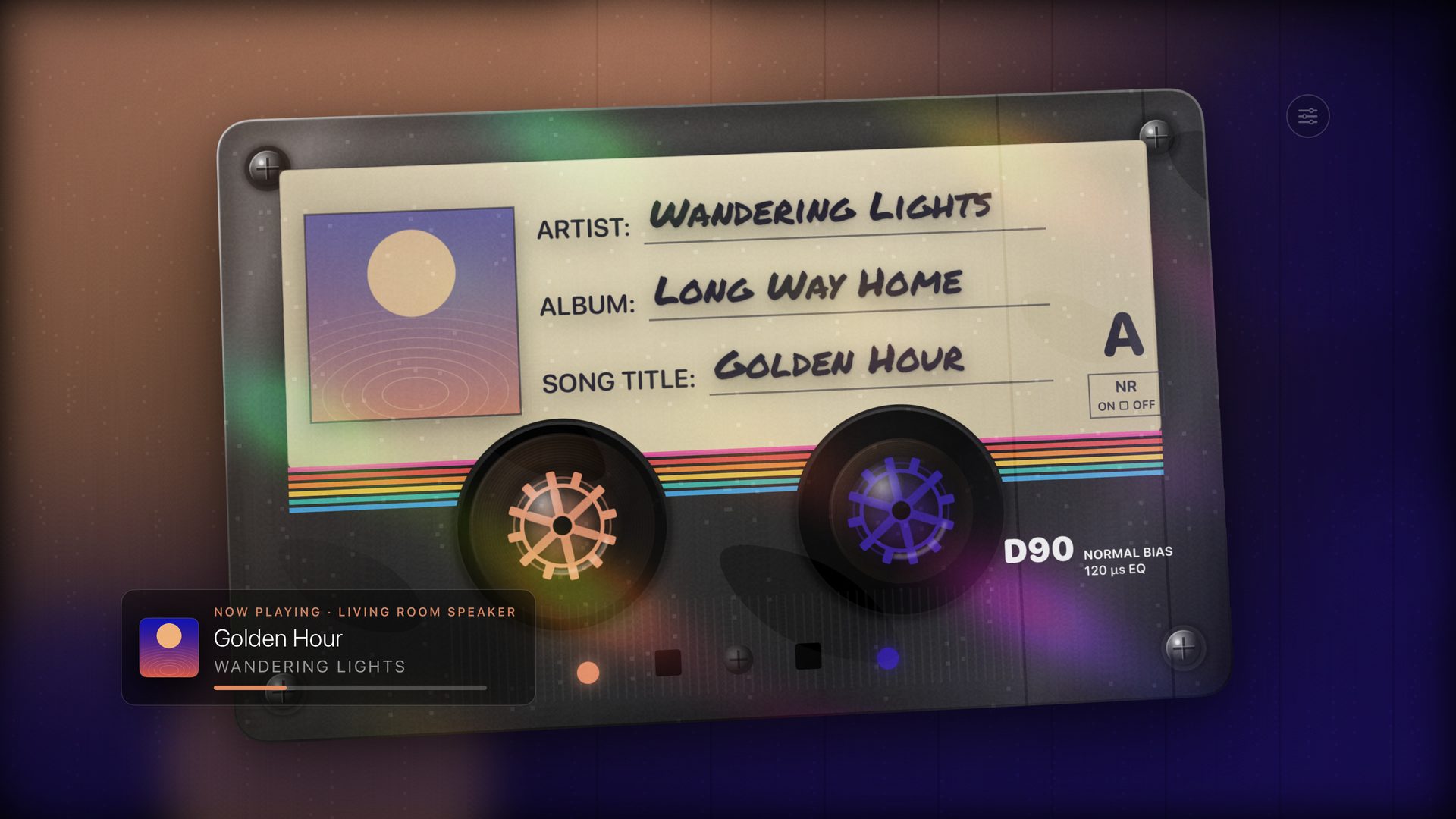
For the full retro experience: a spinning Compact Disc, and a Mixtape cassette that carries the track name on its label. Both are drawn in real time on Apple TV. More about the music visualizer
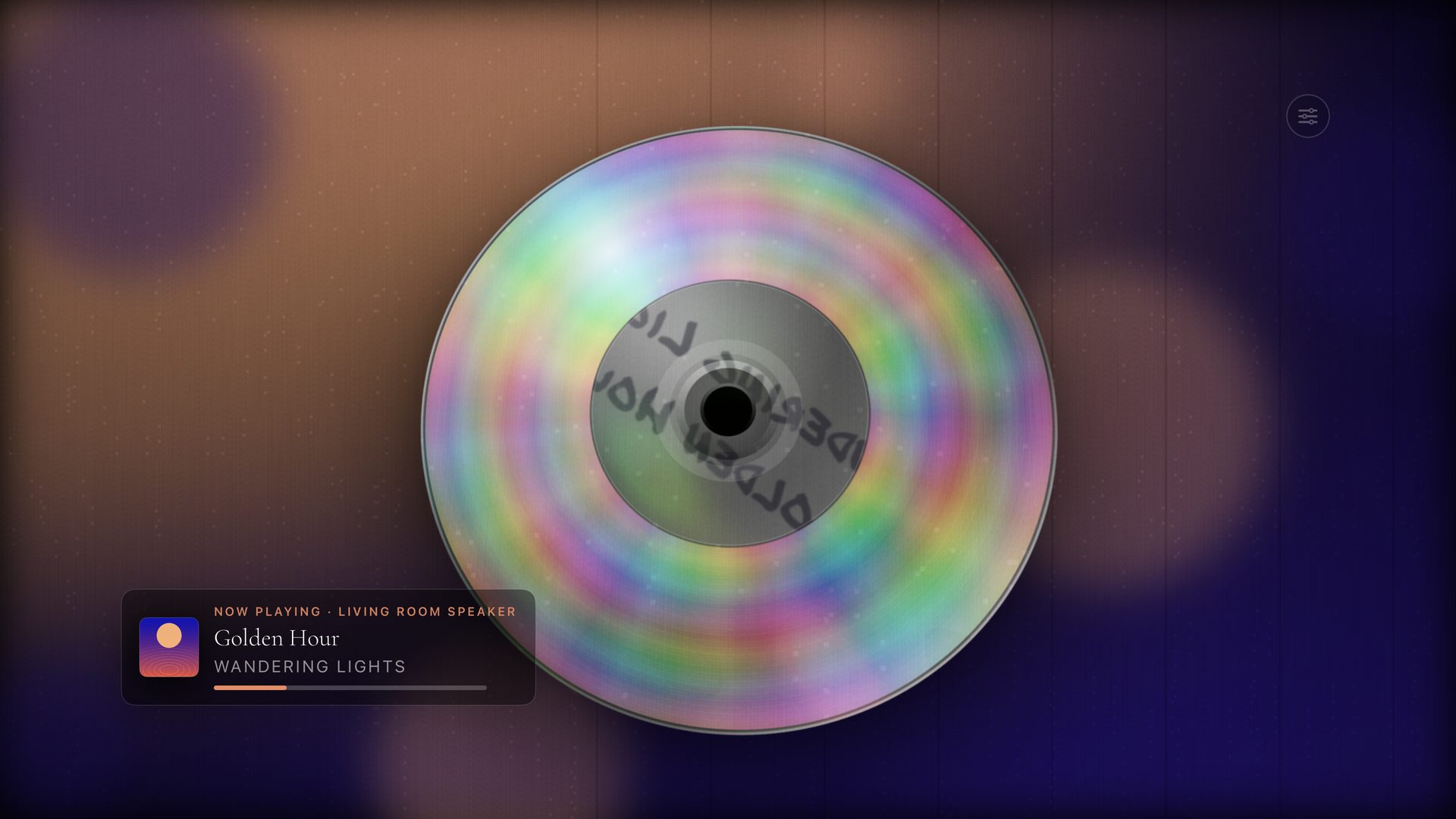
Theatrium's Compact Disc visualizer: a metallic disc spinning in iridescent light, with a Now Playing banner at the lower left.
Compact Disc – a metallic disc spinning in iridescent light.
Theatrium's Mixtape visualizer: a vintage cassette with a handwritten label showing the artist, album and song title, its reels turning.
Mixtape – a vintage cassette, its reels turning to the track.

Built for the Apple TV

Drawn natively

Every window, icon and graph is drawn natively on Apple TV.

Smooth on the 2017 Apple TV 4K

Classic is tuned to stay smooth on the 2017 Apple TV 4K, not just on the newest hardware.

One purchase, no subscription

Classic is part of Theatrium Pro, a one-time purchase with no subscription. Theatrium itself is free.
Theatrium app icon on Apple TV

Try Classic on Apple TV

Theatrium is free. It opens onto a working demo dashboard before you connect anything, Pro features included.

Download on the App Store