Guides › Activity cards
The Activity card
Theatrium ProWorks with: Home AssistantAbout 5 minutes to set up (most of it on your phone)
Today's steps, distance and floors climbed from your iPhone, as a ring that fills toward your goal.
What it shows
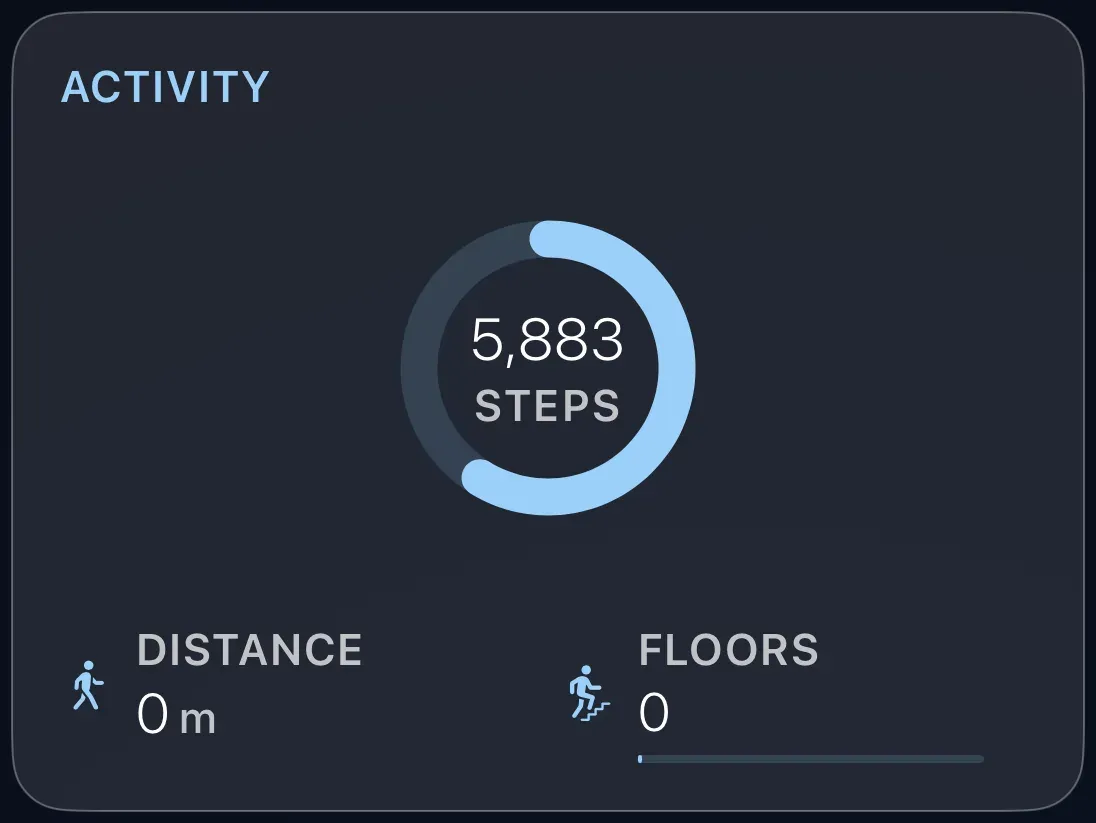
A ring that fills as your steps mount up toward a daily goal, with the count in the middle, and smaller figures for distance and floors, or other health readings you choose. When the goal is reached, the card says so.
Before you start: turn on the phone's sensors
The numbers come from your iPhone through the Home Assistant Companion app. Once, on the phone: open the Home Assistant app, go to Settings › Companion App › Sensors, and turn on Steps, Distance, Floors Ascended and any others you want. Within a few minutes they appear in Home Assistant as sensors.
Add the card
Every card is added the same way. If you have done this before, skip ahead.
- On the dashboard, move to a card you want to replace. Press and hold the center of the remote's pad for about a second. The card dims and a Modify button appears on it.
Hold the center of the pad on the card you want to change. - Press the center once to choose Modify. The Choose a card screen opens.
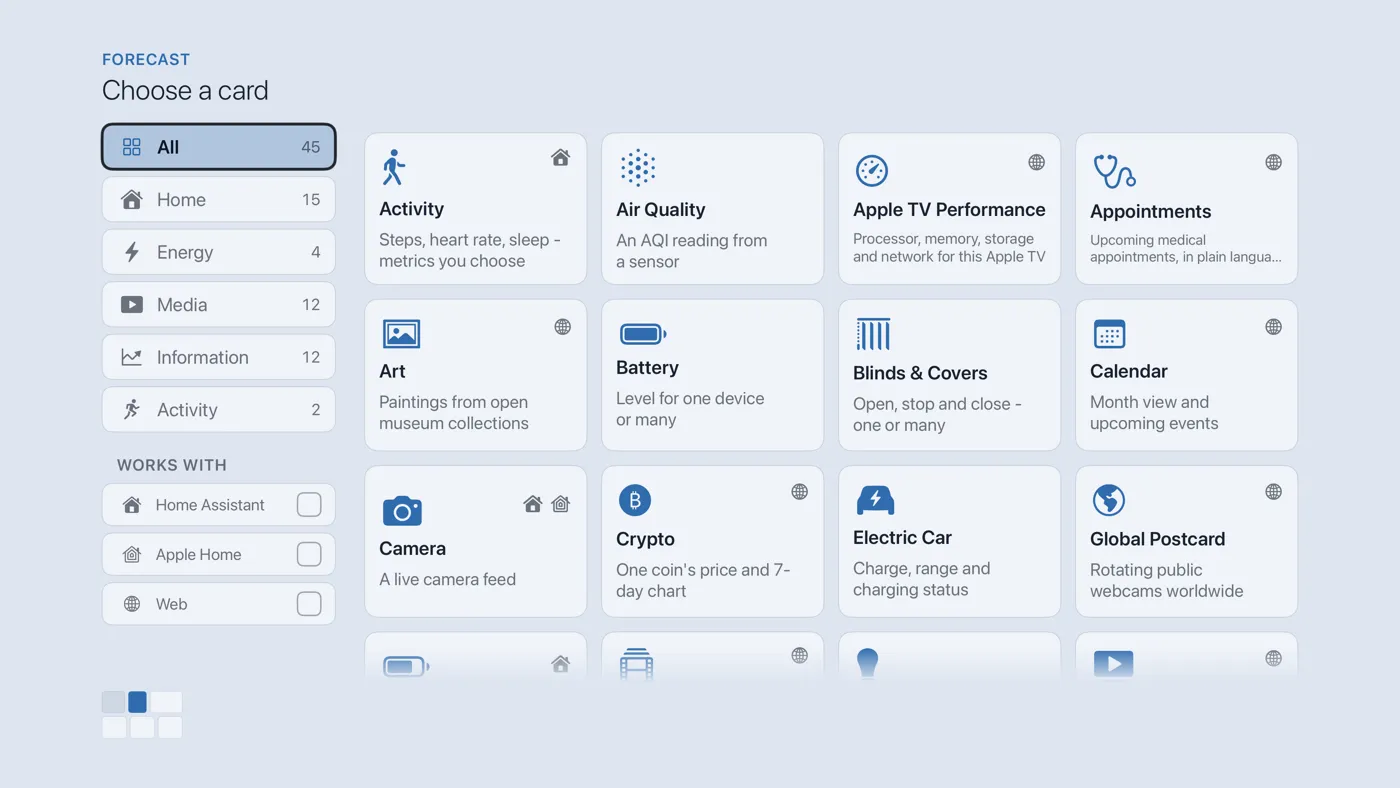
The Choose a card screen. The list down the left side narrows the cards by group. - On the left, choose Activity, then move right and choose Activity. (You can also leave the list on All and scroll; it is in alphabetical order.)
- Set your goal: use the minus and plus buttons to set the daily step count that fills the ring. Under Health metrics, choose which readings to show and which sensor feeds each; Auto usually finds the right one. Put what matters most at the top, because a small panel drops readings from the bottom of the list.
- Finish with the button at the foot of the setup screen, which is named for the card, such as Add Calendar Card. A card that needs no setup is added the moment you select it. You return to the dashboard with the new card in place.
Good to know
- Display only.
- Apple Home has no health readings, so this card needs Home Assistant.
- Any other Home Assistant sensor with the right kind of reading (a smart scale, a sleep tracker) can be chosen as a metric.