Guides › Your screen
Screen Dimming, Pixel Shift and burn-in
A dashboard that stays on all evening is exactly what some televisions dislike. Screen Dimming fades the picture when you stop using the remote; two more settings back it up.
Why this matters
OLED and some other televisions can suffer "burn-in" if a bright, unchanging shape sits on the same spot for many hours. A clock in the corner is the classic case. Theatrium has three protections, and it is worth turning all three on. They now sit together in Settings › Screensaver & Care.
Screen Dimming
After a period with no remote presses, the whole picture fades to a dimmer level. It is still readable, just quieter. Any press on the remote brings it straight back.
- Open Settings with the gear button in the top bar, then choose Screensaver & Care. The page is titled Screensaver & Screen Care.
- Select the closed row More screensaver settings, below the Screensaver card. Its summary line shows what dimming is set to now.
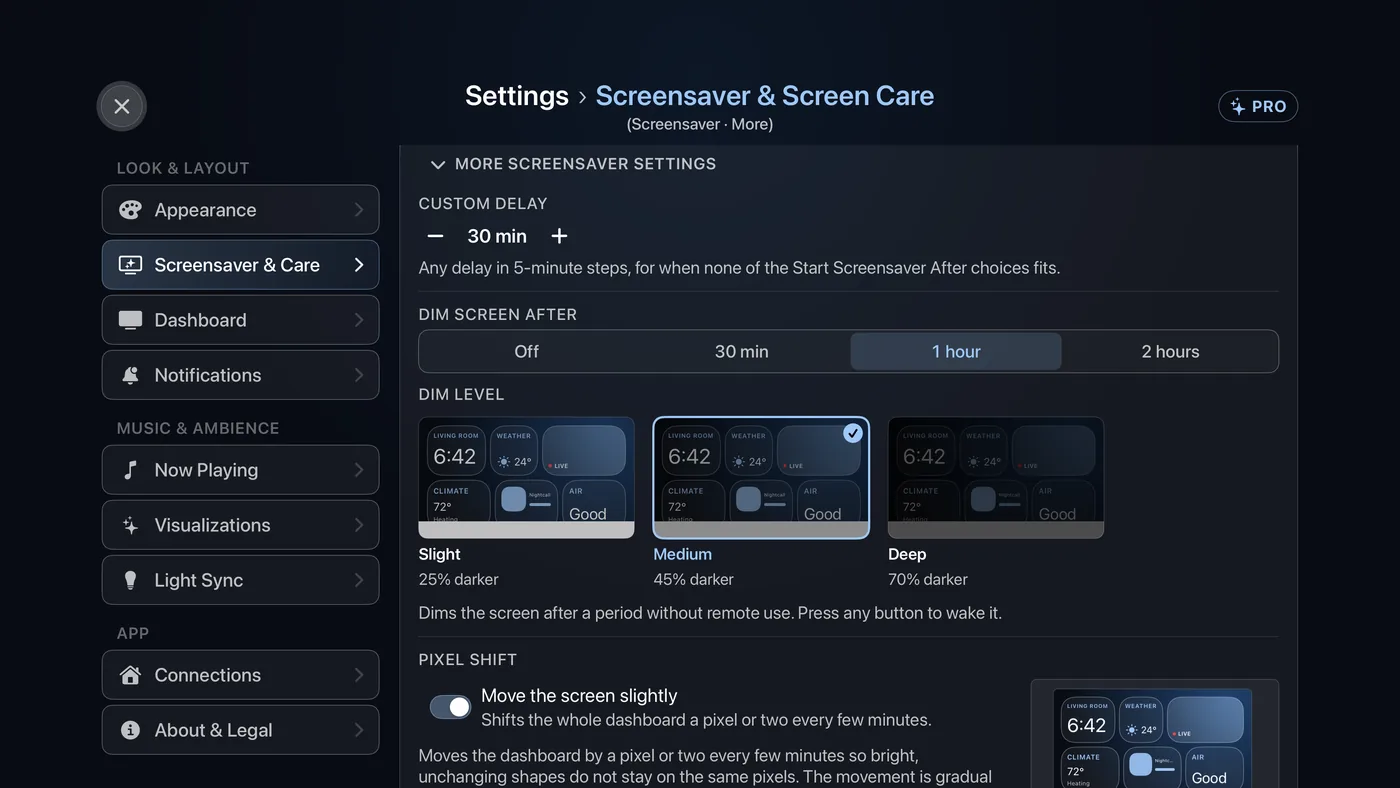
Settings › Screensaver & Care, with More screensaver settings open. Dim Screen After, Dim Level and Pixel Shift are in it. - Dim Screen After: how long to wait with no remote presses before dimming. Choose Off, 30 min, 1 hour or 2 hours.
- Dim Level, shown once dimming is on: Slight (25% darker), Medium (45% darker) or Deep (70% darker), each with a picture of the dashboard at that level. Deep is best for an OLED television or a dark room; Slight if you like to keep reading the dashboard from across the room.
- Press Back. Leave the remote alone for the time you set and watch the picture fade; press anything to wake it.
Pixel Shift
Further down in More screensaver settings, under Dim Level, is Move the screen slightly, with a small picture of what it does. It is on by default. The whole picture shifts by a pixel or two every few minutes. You will not notice it, and it stops bright, unchanging shapes such as the clock from sitting on exactly the same spot all evening.
Screensaver
At the top of the page, set Start Screensaver After (Off, 15 min, 30 min or 1 hour; Custom Delay in More screensaver settings sets any other time in 5-minute steps) and choose a style. This is the strongest protection, because nothing bright is left on the screen at all. See Screensavers for the styles and how to choose one.
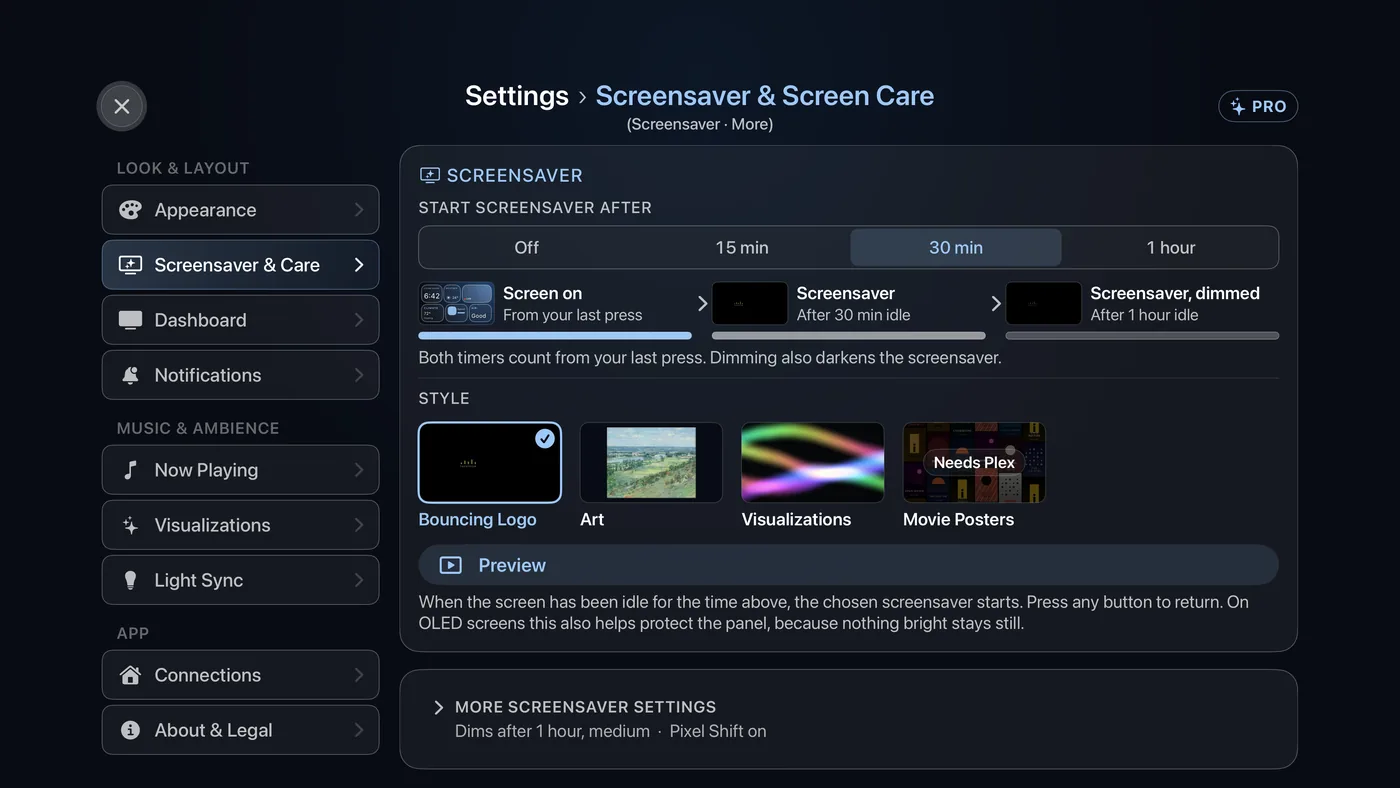
How the three work together
Both timers count from your last press, so dimming does not wait for the screensaver, and the screensaver does not wait for dimming. The timeline on the page shows the order: Screen on, Screensaver, then Screensaver dimmed. Dimming also darkens a screensaver that is already playing. Pixel Shift runs all the time underneath both.
Out of the box the screensaver starts after 30 minutes, the screen dims after 1 hour at Medium, and Pixel Shift is on. A sensible everyday setting for an OLED television is screensaver after 15 minutes, dimming after 30 minutes at Medium or Deep, Pixel Shift on.
Good to know
- Every theme has a light and a dark version. On an OLED, prefer the dark version for all-day use. The half-filled circle button in the top bar swaps them.