Guides › Your screen
Screensavers
About 2 minutes to set up
When you have stopped watching, Theatrium hands the screen to a screensaver: a drifting logo, paintings on a mat board, your visuals, or your Plex posters.
What this is
After a set idle time with no remote presses, the dashboard gives way to a screensaver. Any press brings the dashboard back. On an OLED television this is also a protection: nothing bright is left sitting still.
The screensavers
Four styles, and a fifth that comes with Short Stay.




Setting it up
- Open Settings › Screensaver & Care (the page is titled Screensaver & Screen Care). The Screensaver card is at the top.
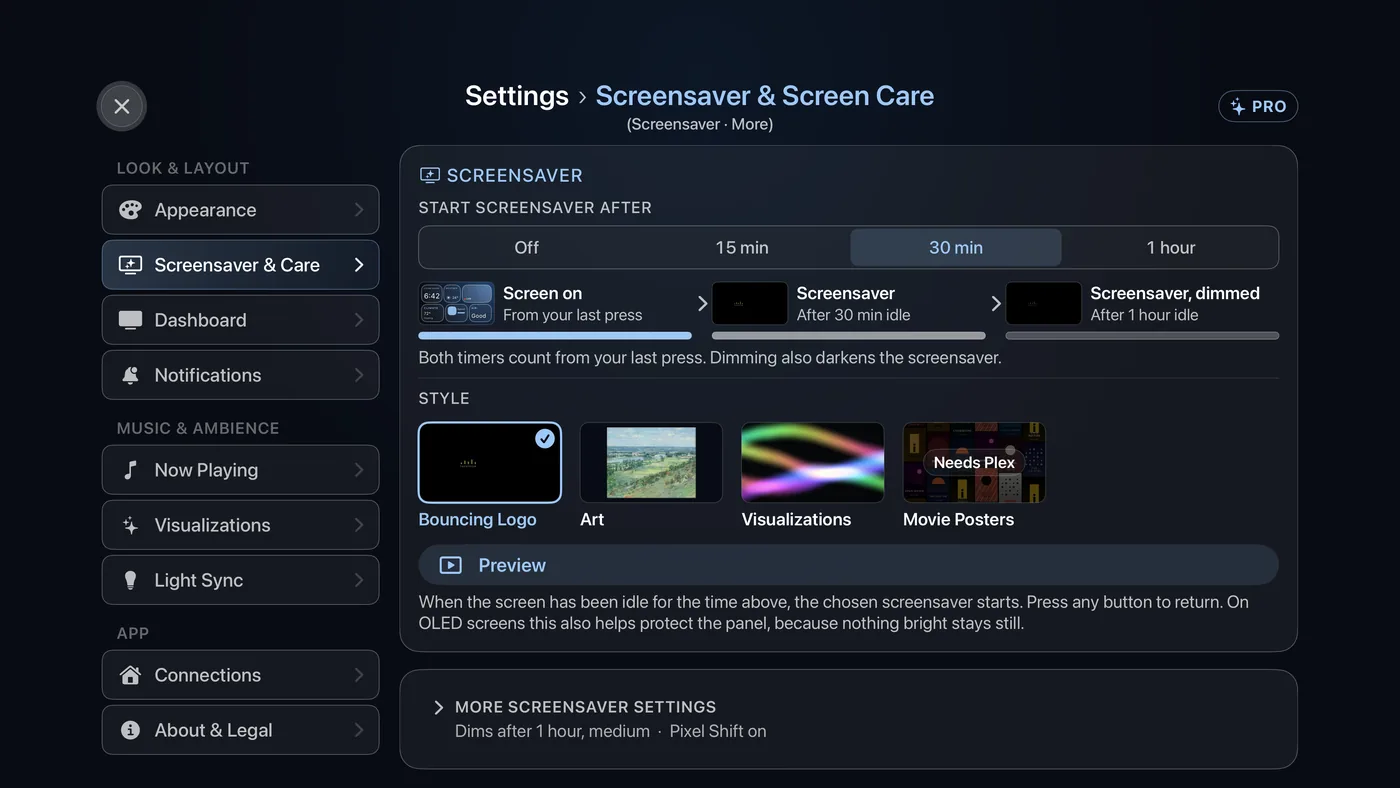
Settings › Screensaver & Care. Start Screensaver After, the timeline, the Style tiles and Preview. - Start Screensaver After: choose Off, 15 min, 30 min or 1 hour. For a time of your own, use Custom Delay under More screensaver settings, in 5-minute steps. The Style choices appear once a delay is set.
- Style: choose a tile. Bouncing Logo, Art, Visualizations and Movie Posters are always offered; Guest Welcome joins them once Short Stay is on.
- For Movie Posters, the tile reads Needs Plex until you have linked Plex in Settings › Connections. After that, a list of your Plex film and TV libraries appears. Leave them all unselected to use every library, or select some to narrow it down. In More screensaver settings you can also choose the effect: Marquee, Cover Flow or Reel-to-Reel.
- For Art, choose which museum collections to draw from. In More screensaver settings, Show on a mat, Cross fade, Slow pan and Show the details change how each work is shown.
- Choose Preview to see it now. Press any button to come back.