Guides › Your dashboard
The Quick Access bar
Works with: Home Assistant, Apple Home3 minute read
A strip of your most-used lights and scenes, plus All Off, one press away at the bottom of the screen.
What this is
The Quick Access bar is a row of buttons along the bottom edge of the dashboard: All Off, then the lights, scenes and scripts you choose. It is meant for the last thing you do at night and the first thing in the morning, without hunting for a card.
Showing it
Move along the bar with the left and right edges of the pad. Press the center on a light to turn it on or off, on a scene to run it, or on All Off to turn every light off. All Off appears while at least one light is on. Press up to return to the cards, or Back to clear the screen; the bar also hides itself after a few seconds without the remote.
Choosing what is on it
- Open Settings (the gear button in the top bar) and choose Dashboard.
- Move down to the Quick Controls card, below the Clock.
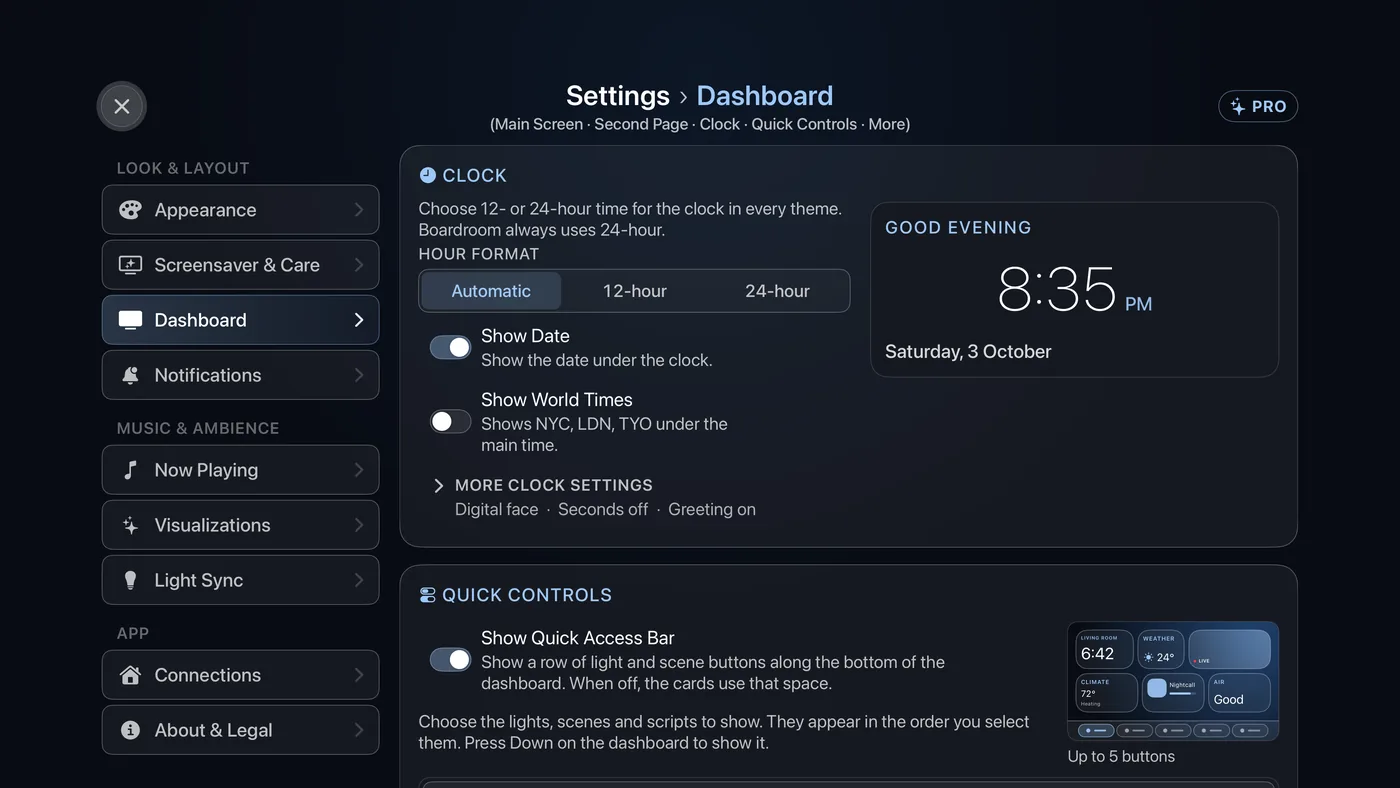
Settings › Dashboard. The Quick Controls card sits below the Clock, with a picture of the bar beside the switch. - Show Quick Access Bar turns the whole strip on or off. Off gives the space back to the cards.
- Under it is a list of every light, scene and script Theatrium can see. Select the ones you want. They appear in the order you select them.
- Select the closed row More quick control settings, which appears while the bar is on. Panel Style is Slide-up Panel, where the dashboard lifts to make room as the buttons rise, or Overlay, where the buttons fade in over the dashboard without moving it.
- Maximum Quick Access Buttons, in the same row, caps how many appear: 3, 4, 5, 6 or 8, counting All Off, lights and scenes together. Keep it to what fits comfortably on one line.