Guides › Your screen
Alerts on your TV
Someone at the door, motion in the garden, the washing finished: a pop-up on the TV with a camera picture, while Theatrium is open.
What this is
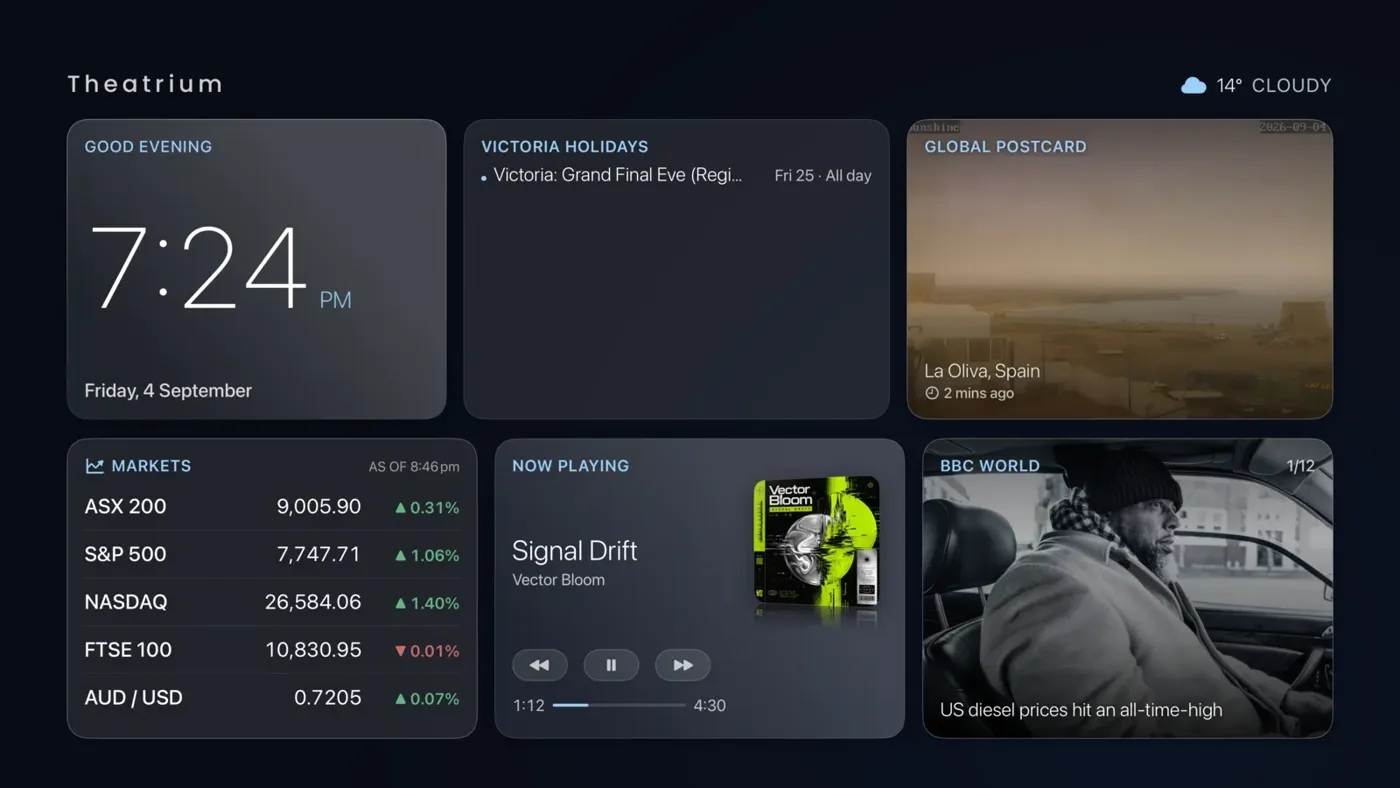
When a sensor you have chosen fires, a banner slides over whatever is on screen, dashboard, music room or visualizer, with what happened, when, and a camera picture if a camera covers that spot. The banner shows briefly, for 30 seconds, for a minute, or until you dismiss it, your choice. The Notifications card keeps a running list.
Setting it up on Home Assistant
- Open Settings › Notifications.
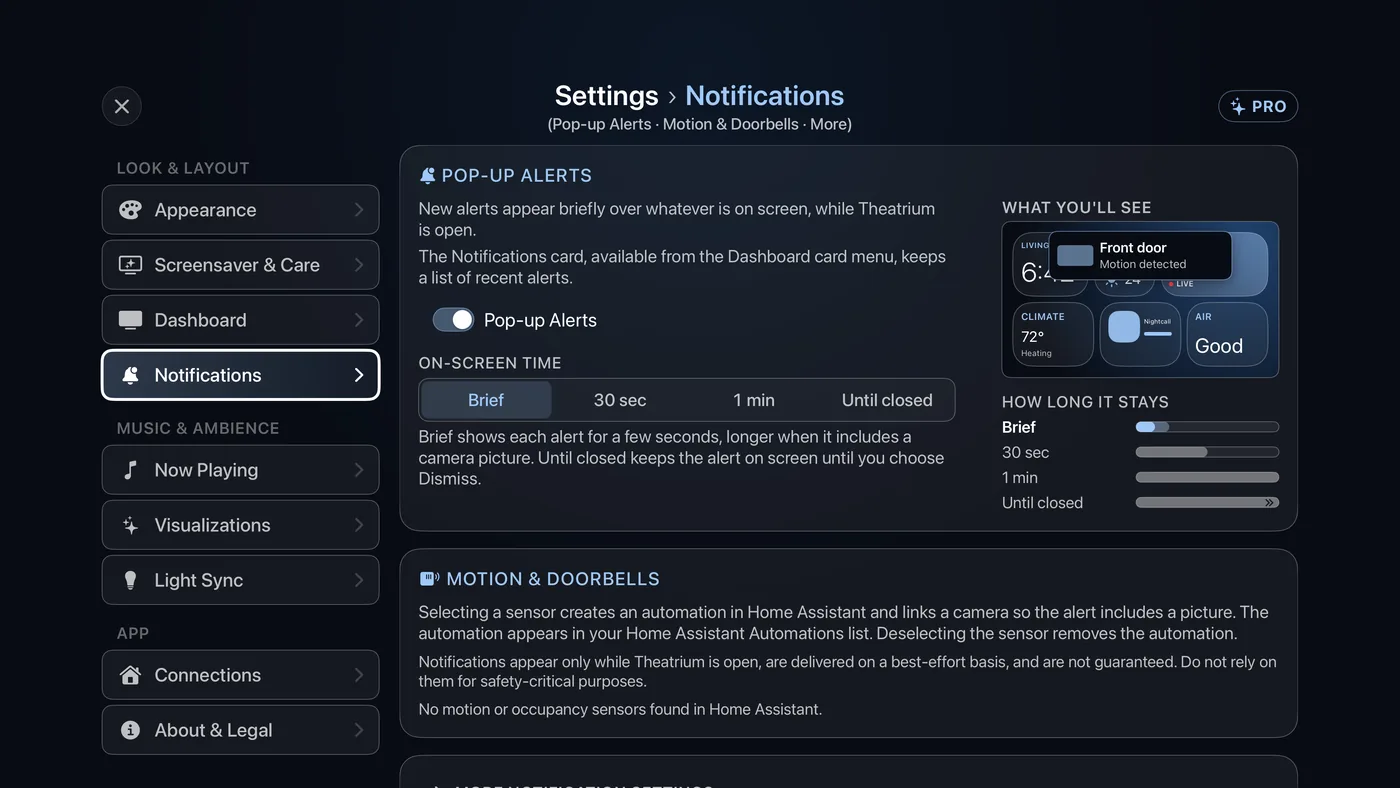
Settings › Notifications. - Under Pop-up Alerts, check that the switch is on, then set On-Screen Time: Brief (a short glance, a little longer when there is a picture), 30 sec, 1 min or Until closed (stays up with a Dismiss button).
- Under Motion & Doorbells, select each motion sensor, doorbell or camera you want to alert. Selecting one writes the automation into Home Assistant for you, and pairs a camera so the alert carries a picture. You will see it in Home Assistant's own Automations list. Deselecting it removes the automation.
- Optional: open More notification settings. Custom Alerts there lets any Home Assistant automation put a message on the TV: the washing machine finishing, a door left open, anything you can automate. The three steps show what your automation needs.
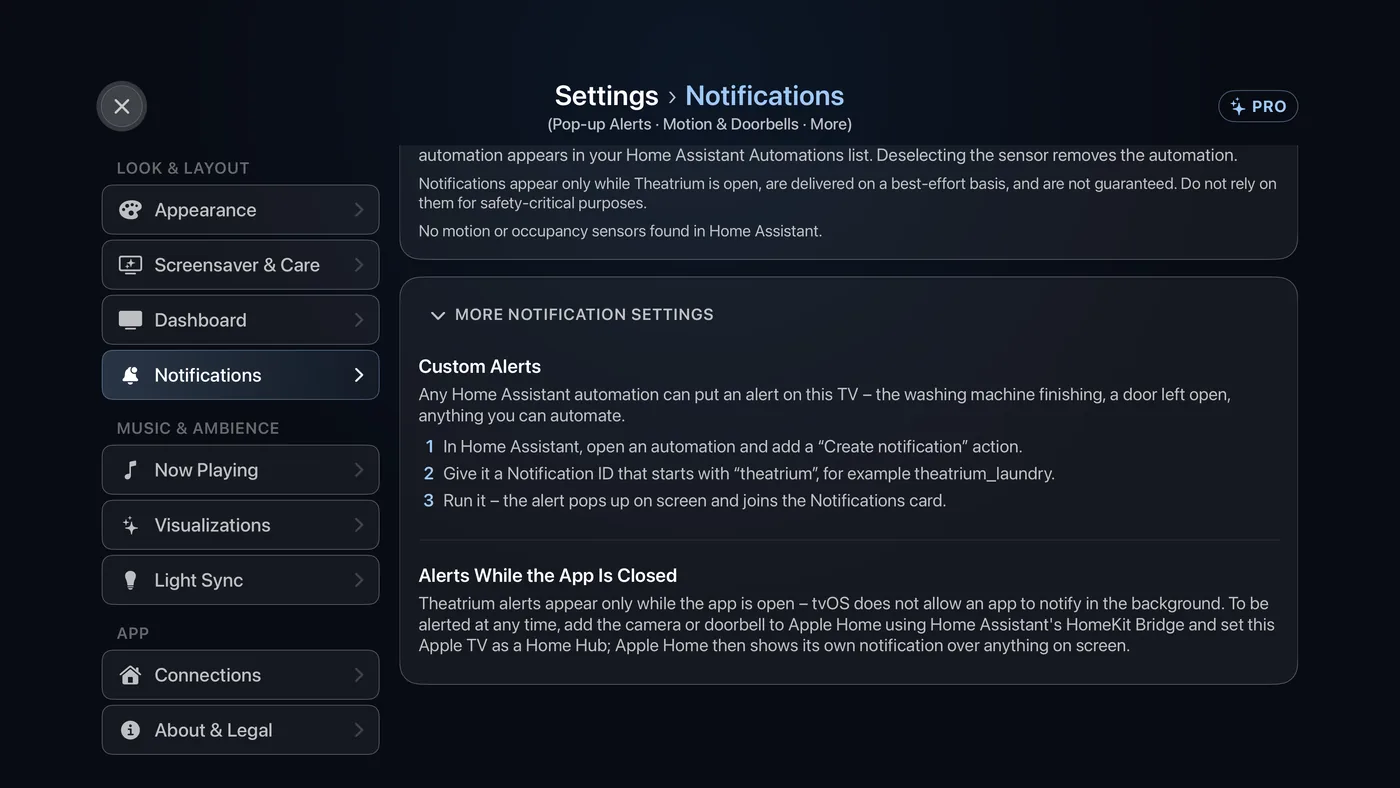
Settings › Notifications › More notification settings. - Optional: once Plex is connected, More notification settings also holds a Plex section. Turn on an alert when someone starts watching on your Plex server, or when new films or episodes are added. Both are off until you turn them on.
On Apple Home
In Settings › Notifications, under Motion & Doorbells, select the HomeKit sensors you want to alert on this TV while Theatrium is open. Cameras and video doorbells are better left to tvOS itself: turn on notifications for the camera in the Apple Home app and make this Apple TV a Home Hub, and Apple shows its own notification over anything on screen, even when Theatrium is closed.
Good to know
- Theatrium alerts appear only while the app is open. tvOS does not allow any app to notify in the background. For alerts at any time, use the Apple Home route above (Home Assistant users can expose a camera to Apple Home with the HomeKit Bridge).
- Alerts are suppressed while you are in Settings, because you are reading rather than glancing.