Guides › Music
Room Light Sync
Your smart lights take on the colors of the screen while music plays, gently, never a flash.
What it does
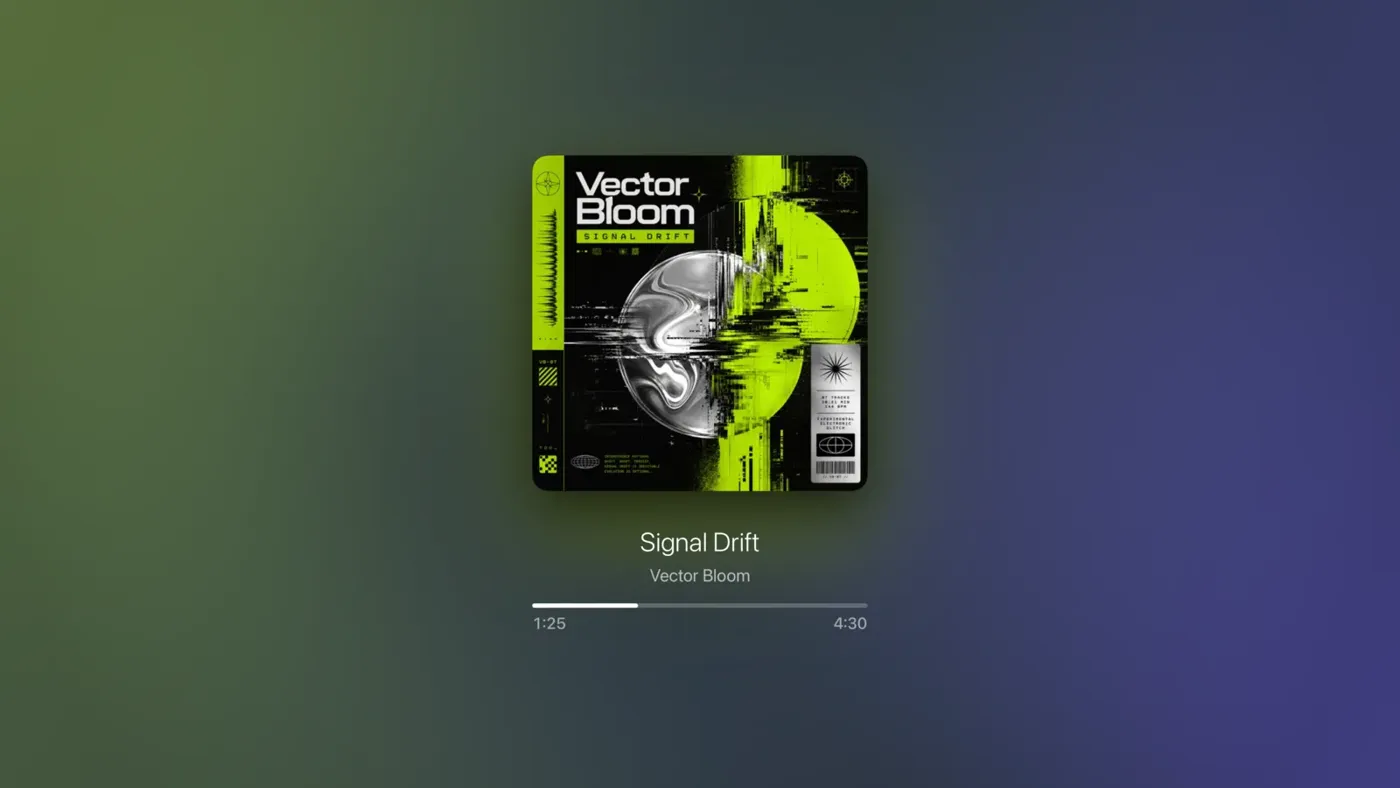
While music plays, Theatrium eases your room lights through the colors on the screen: the colors of the album cover, or a pair of colors chosen to suit the song. Two groups of lights take part. Main is the room's general lighting; it takes the lead color, kept a little brighter and softer so the room stays comfortable. Accent is mood lighting, a lamp or a strip; it takes the second color, richer and dimmer.
The changes fade rather than flash. Party mode, which changes color with the song, is the one exception and is turned on deliberately.
Setting it up once
- Select the gear at the top right of the dashboard and choose Light Sync, under Music & Ambience.
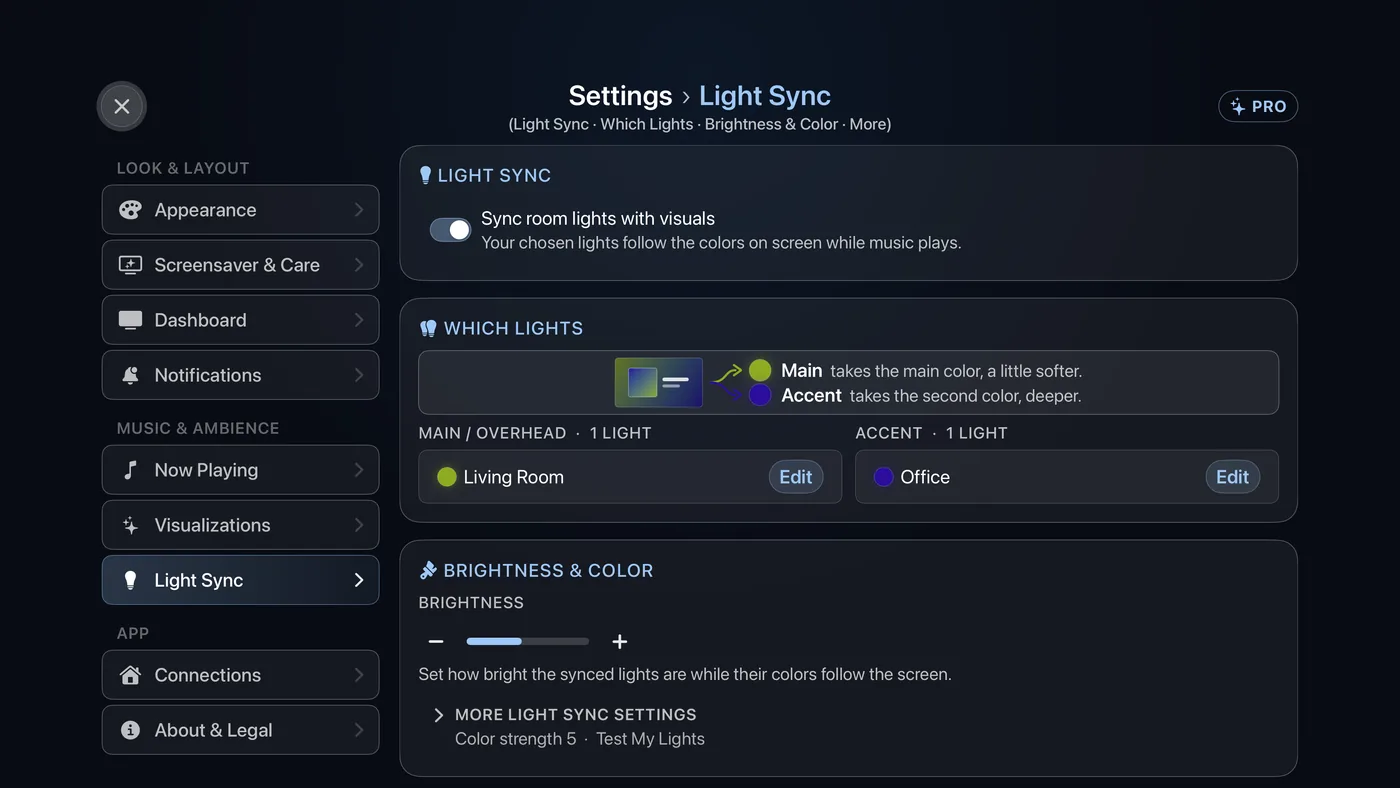
Settings › Light Sync. - Turn on Sync room lights with visuals. The Which Lights and Brightness & Color cards appear.
- Under Which Lights, choose Main / Overhead and select the lights for the room's general lighting. Individual bulbs, or a light group or room you already have, both work. Then choose Accent and select your lamps or light strips. A light can sit in only one of the two.
- Set Brightness with the minus and plus buttons. The bar has ten steps. This is the starting point; you can change it from the panels described below.
- Open More Light Sync settings. Color Strength runs from a pale wash to full color, and is also a starting point. Under Test My Lights, run the light test: each light is sent a different color. Watch which ones respond and fix any that do not.
Using it day to day
The light bulb button opens a small panel of light controls without leaving what you are watching. It sits in the top-right buttons on the dashboard, and on the album art and visualizer screens. It appears once you have chosen lights; on the dashboard it shows while music is playing or while light sync is on.
On the dashboard, the panel is headed Light Sync and holds:
- Light Sync On / Off: the main switch. Off puts the lights back in their normal mode.
- Colors From: Album Art (the cover's own colors) or Curated (hand-picked pairs that suit the song).
- Brightness and Color Strength.
- Color Changes Every: 30s, 1m or Full song.
- Visualizer: jumps to the visualizer.
On the album art screen and in the visualizer, the panel is headed Room Lights. It has the same switch, Brightness and Color Strength, plus Party (Theatrium Pro), where the colors cycle with the song. In the visualizer, Colors From offers Album Art or Visualizer, the colors on screen.
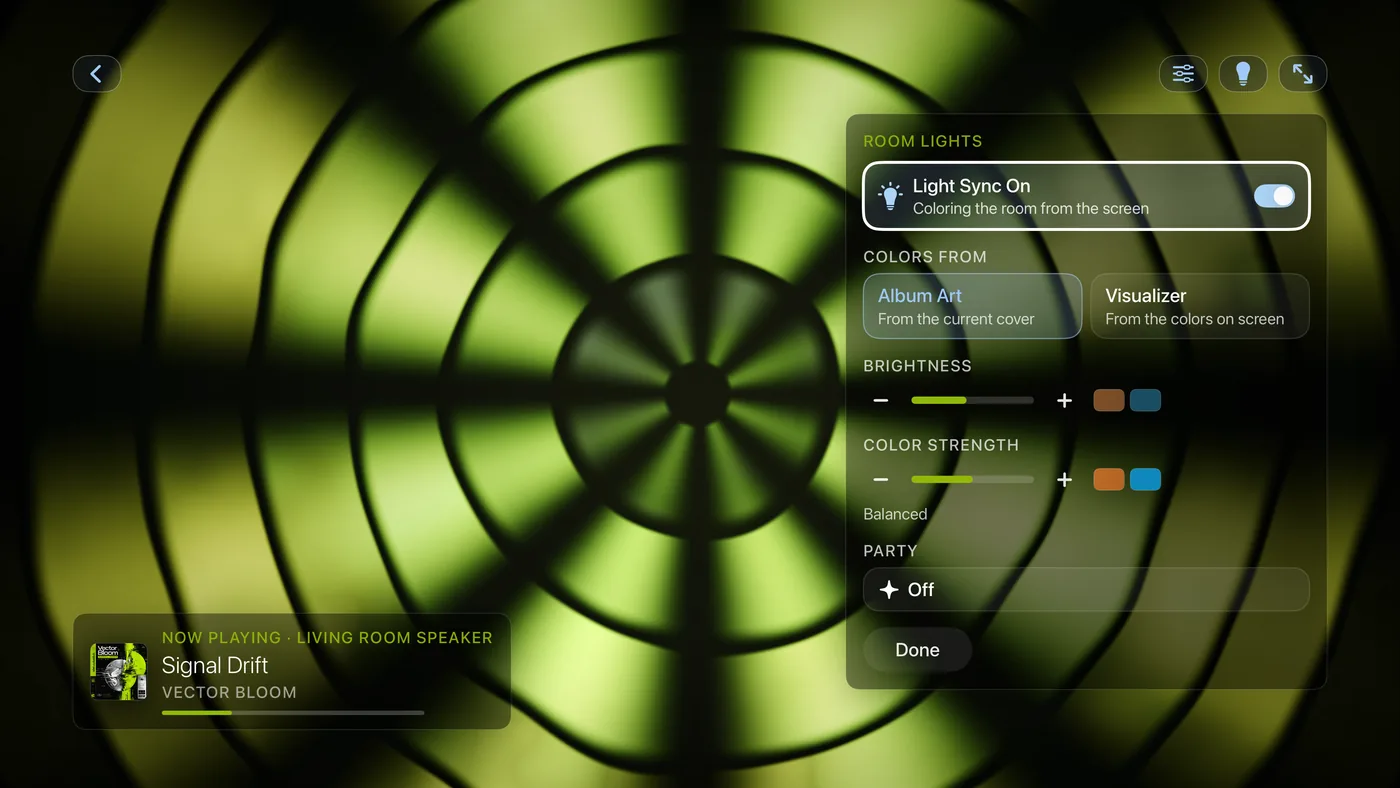
Press Back or choose Done to close the panel. The lights keep syncing.
Good to know
- Light sync runs only while music is playing and Theatrium is open. When the music stops, the lights settle on the last color; turn sync off to hand them back.
- How closely the lights follow depends on your network and the bulbs. Bulbs on a hub (Philips Hue through its Bridge) tend to be fastest; Wi-Fi bulbs vary, and some smooth out fast changes themselves. Settings › About & Legal › More about Theatrium › About Sync Delays explains more.
- Needs Home Assistant or Apple Home with color-capable lights. White-only bulbs follow brightness but not color.
- With Halloween Mode on, light sync takes its colors from the Halloween palette (pumpkin orange, witch purple, slime green and candle amber) instead of the cover, on the dashboard as well as the album art and visualizer screens. The palette is part of the Theatrium Pro Halloween pack. See Halloween.