Guide · Halloween Easy
The Halloween pack
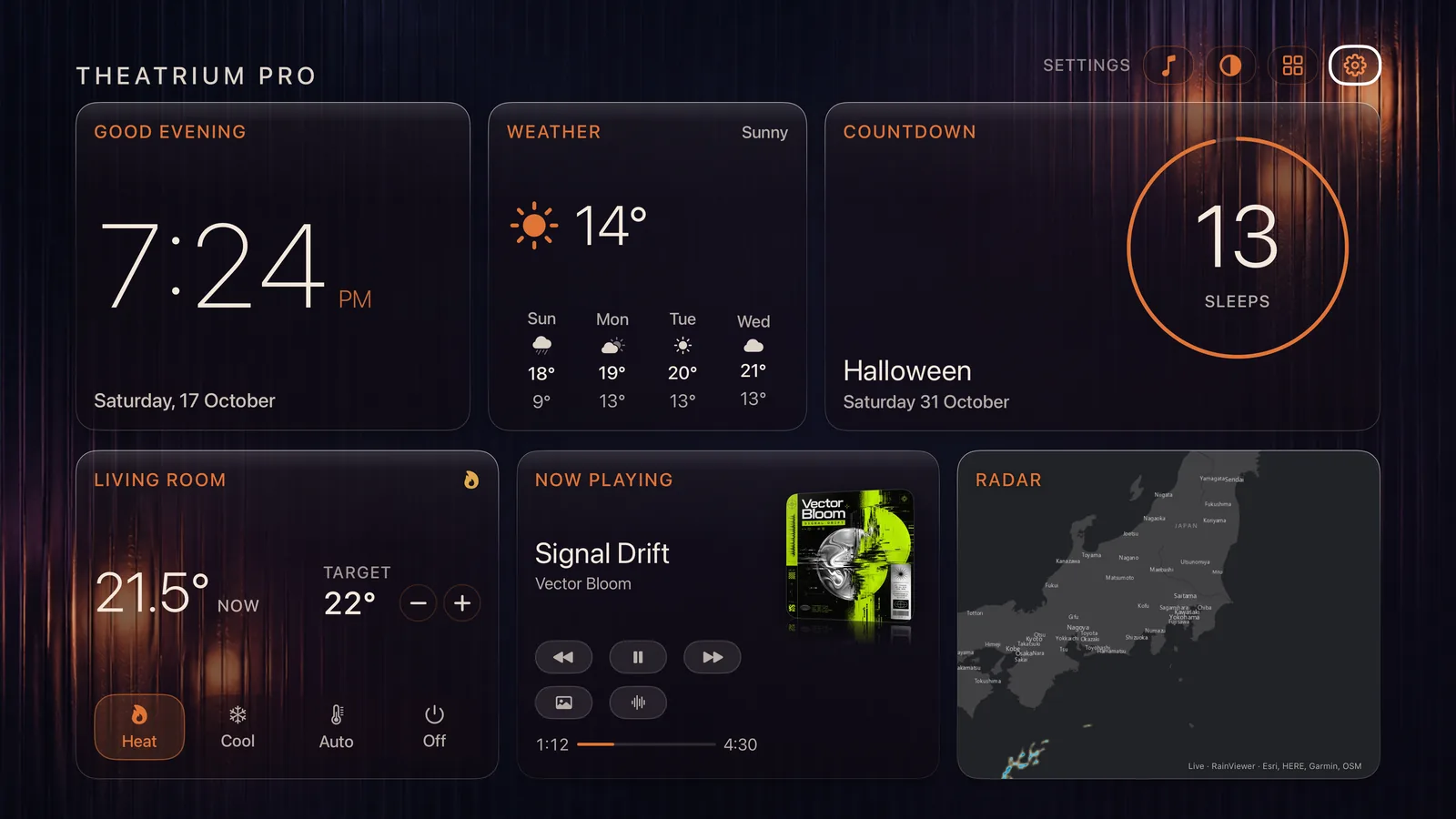
One switch for the season. Turn it on and Theatrium puts on a Halloween background for your theme, the Pumpkin & Plum colors and three Halloween music visuals, and your room lights follow the Halloween palette. Turn it off and your own look comes straight back. New in 1.9.
What you need
- Theatrium 1.9 on your Apple TV. To flip the switch from your phone, companion app 1.4 too.
- Theatrium Pro for the whole pack. Two pieces are free for everyone in October: the Pumpkin Patch visual and the Candlelit Glass background. Everything else is Pro, and so are those two from 1 November. See Free in October.
- For the room lights, Light Sync with at least one light chosen. The pack works without it; the lights simply stay as they are.
Turning it on
It takes one press, and one press undoes it.
Open Appearance
Open Settings with the gear at the top right of the dashboard, then choose Appearance. In September and October the Halloween card sits right under Theme. The rest of the year it moves to the bottom of the page, and works the same way.
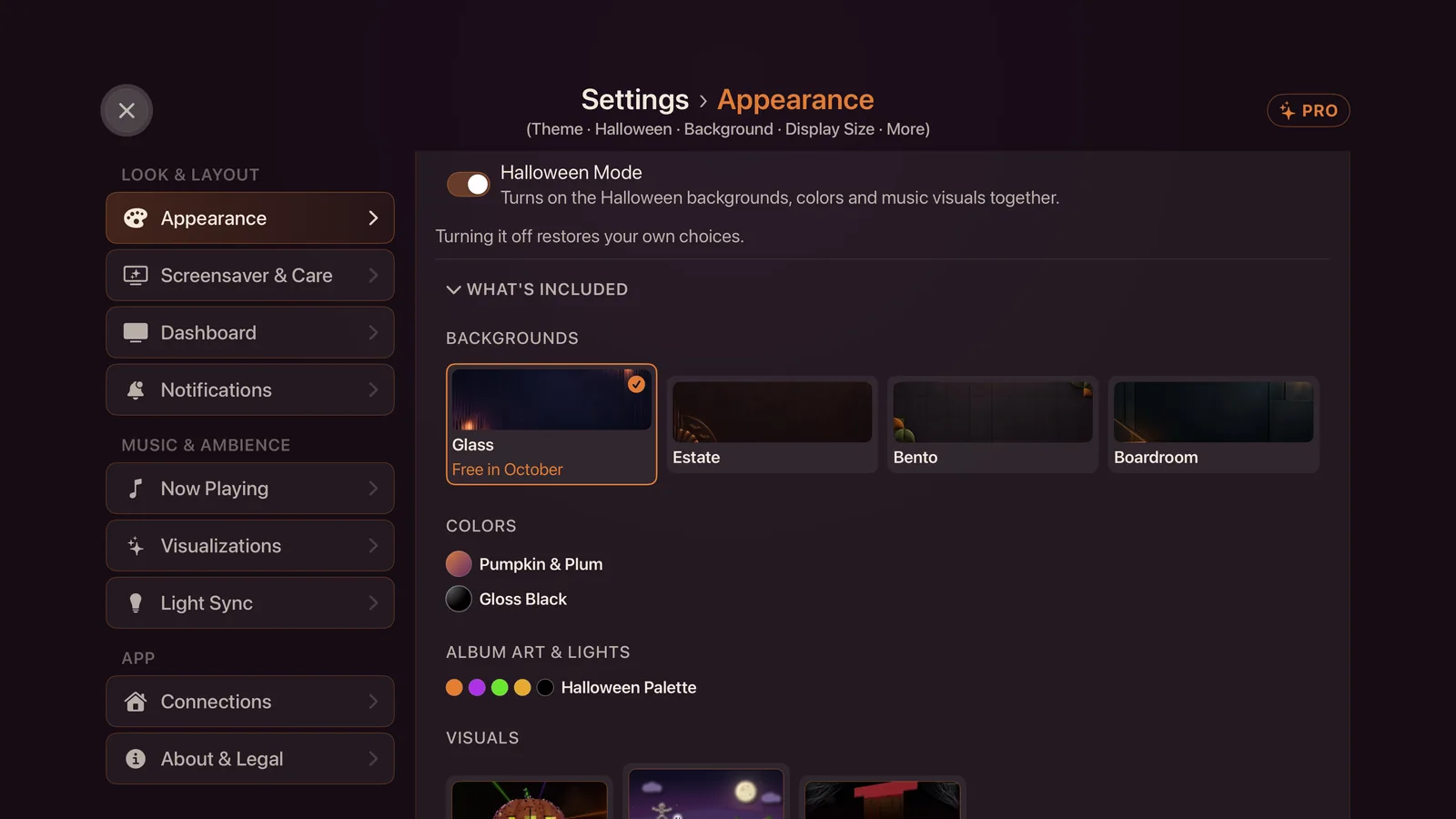
Select Halloween Mode
The whole look changes at once, marked by a flash of lightning. Beneath the switch, What’s Included opens a short preview of every piece: the four Halloween backgrounds, the two color sets, the Halloween palette for album art and room lights, and the three visuals. Pieces that need Pro carry a small PRO mark.
Or switch it from your iPhone
In the companion app, open Settings; Halloween Mode sits near the top in September and October. It needs Theatrium 1.9 on your TV. With an older version the switch does not appear.
What it changes
Four things, each for the theme you are using.
A Halloween background
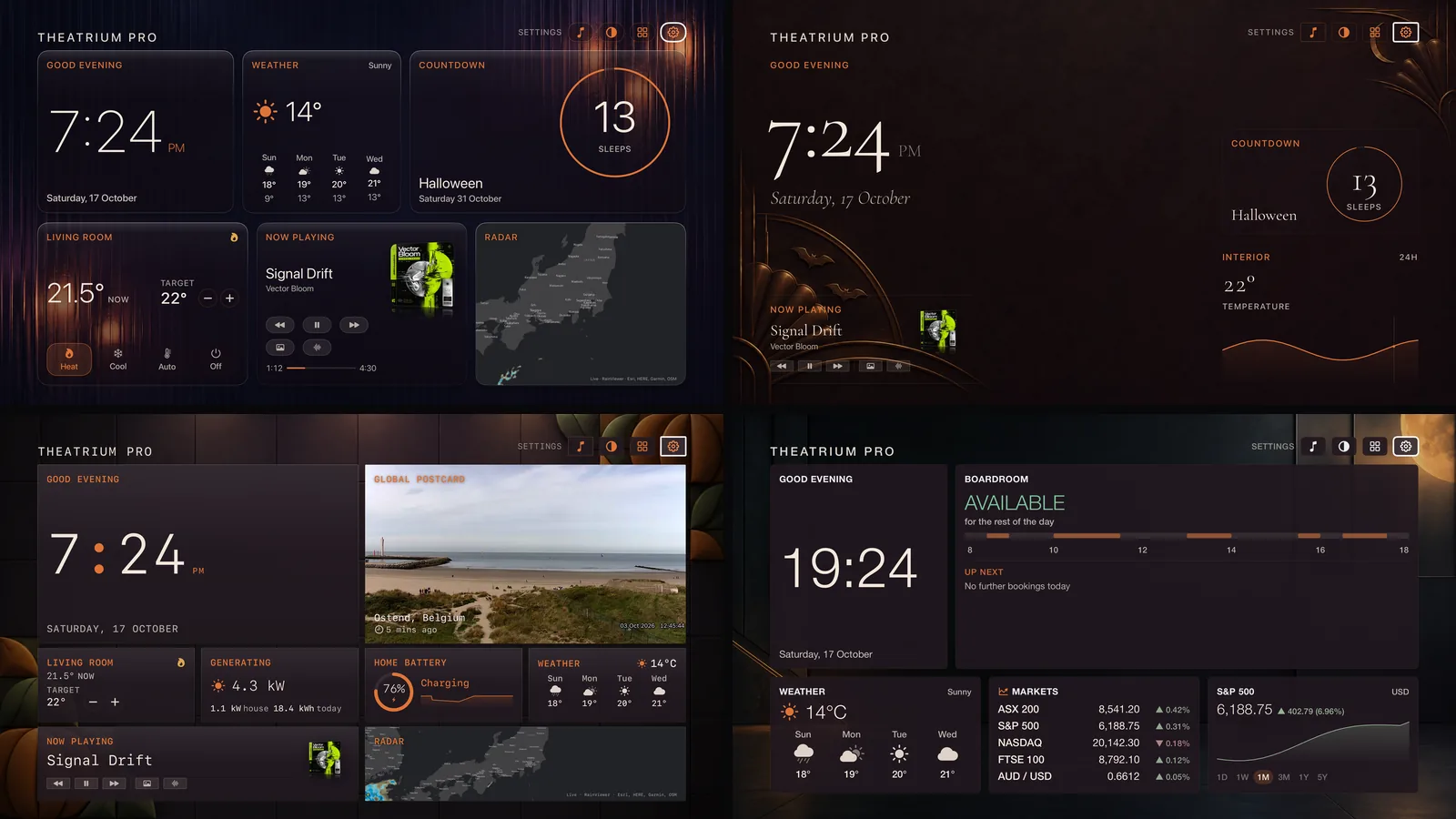
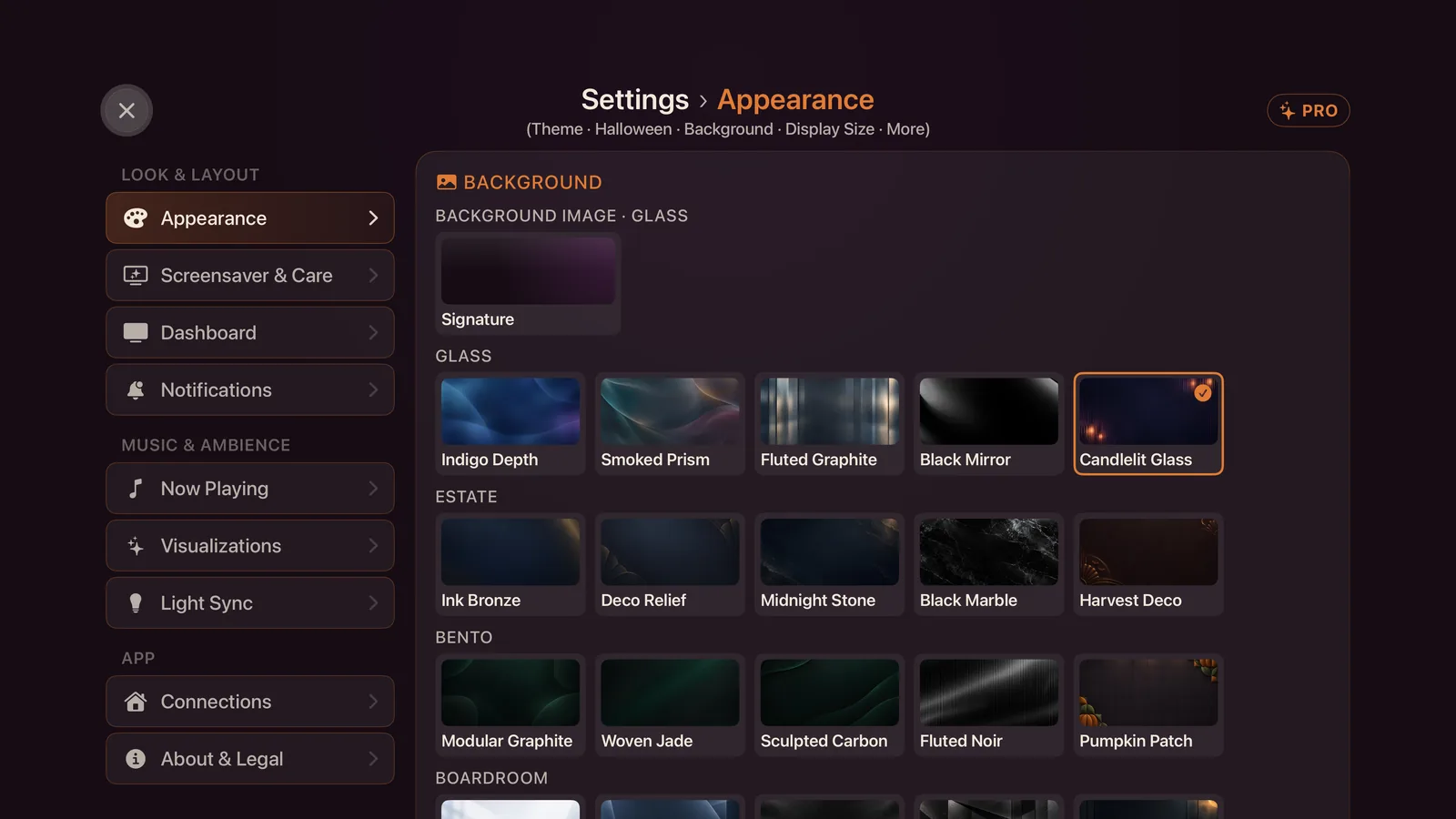
Each theme has one: Candlelit Glass for Glass, Harvest Deco for Estate, Pumpkin Patch for Bento and Harvest Moon for Boardroom. They are quiet materials with a little candle-lit detail in the corners, so the cards stay easy to read. While Halloween Mode is on they also appear in the Background picker under Appearance.
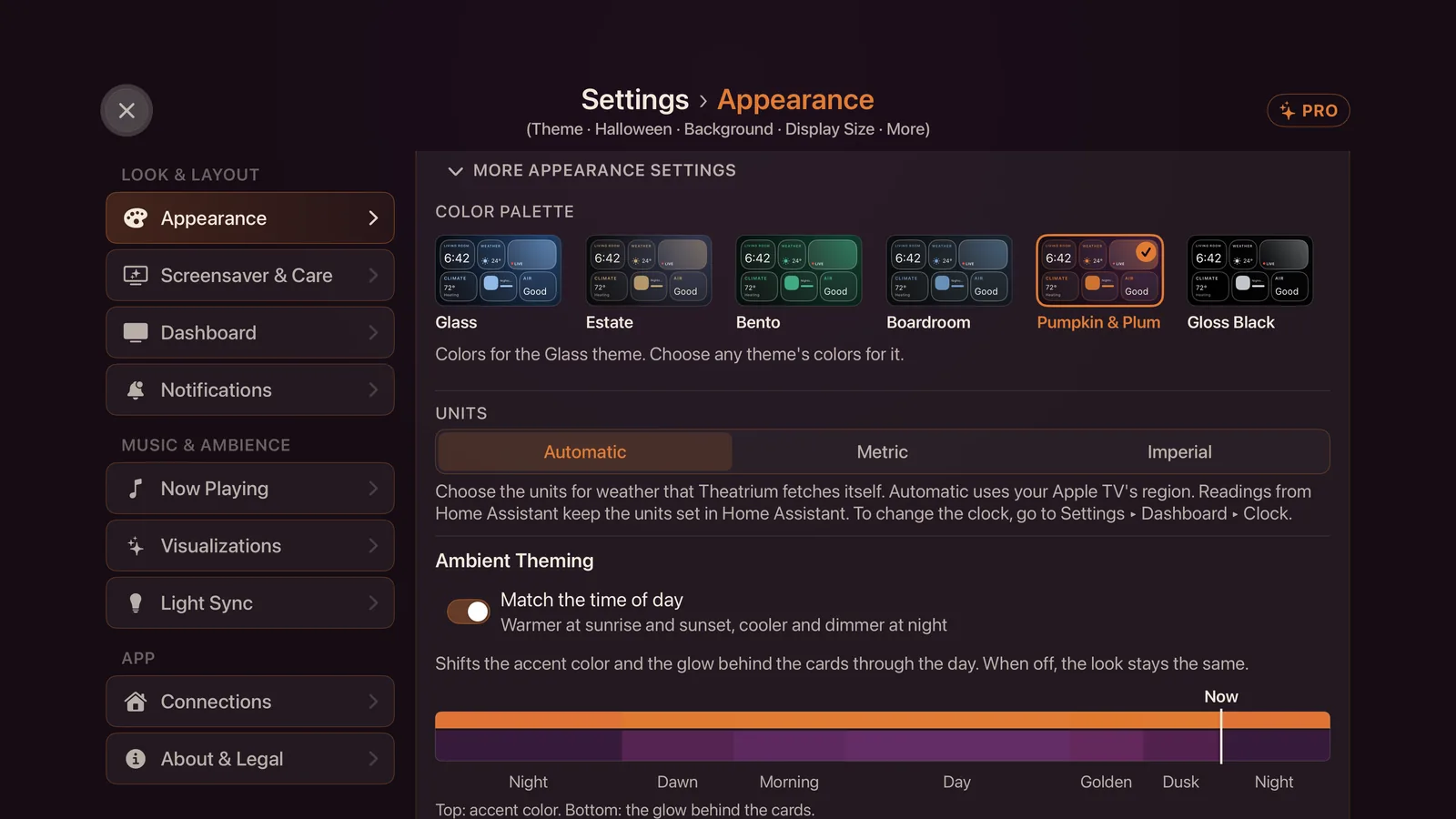
Pumpkin & Plum
A color set of pumpkin orange and plum, tuned for each theme’s face, light and dark. Halloween Mode applies it to every theme. It also appears in Appearance › More appearance settings › Color Palette while Halloween Mode is on.
Halloween visuals
While Halloween Mode is on, the music visuals play only the Halloween ones: the three below, or those you are entitled to. Turn it off and your own visuals return exactly as you had them. If you had pinned a visual and there are no Halloween visuals to replace it, the pin stays.
The Halloween palette for album art and room lights
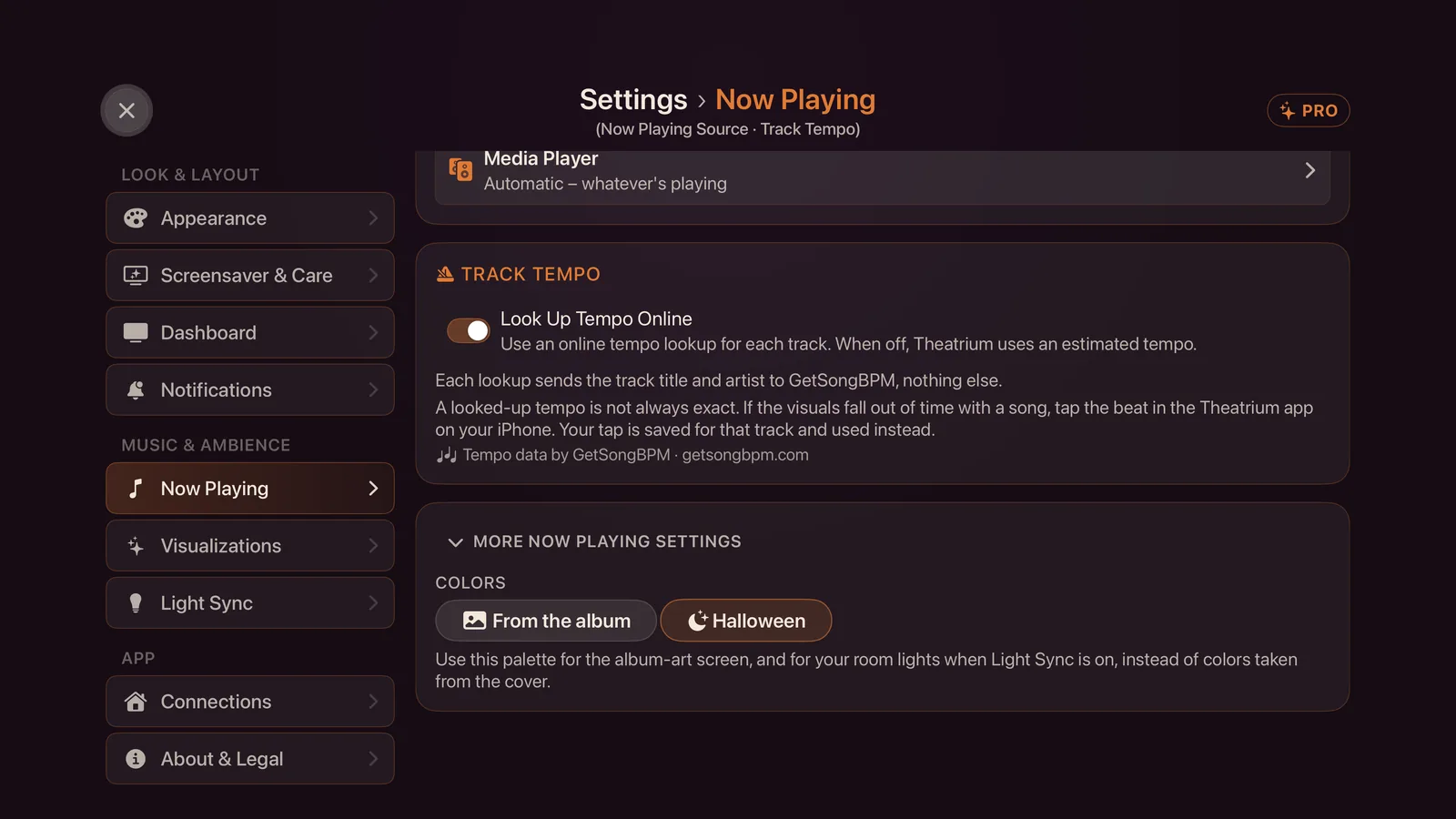
The album-art screen, the visualizer and the room lights take their colors from the Halloween palette — pumpkin orange, witch purple, slime green and candle amber — instead of from the cover. Under Now Playing › More Now Playing settings, the Colors row chooses between From the album and Halloween; Halloween Mode sets it to Halloween. With Light Sync on, the lights follow the palette from the dashboard too, not only inside the visualizer. The lights fade between colors; nothing strobes.
The three visuals
Each moves to the tempo of the song and never to the sound in the room, like every Theatrium visual.
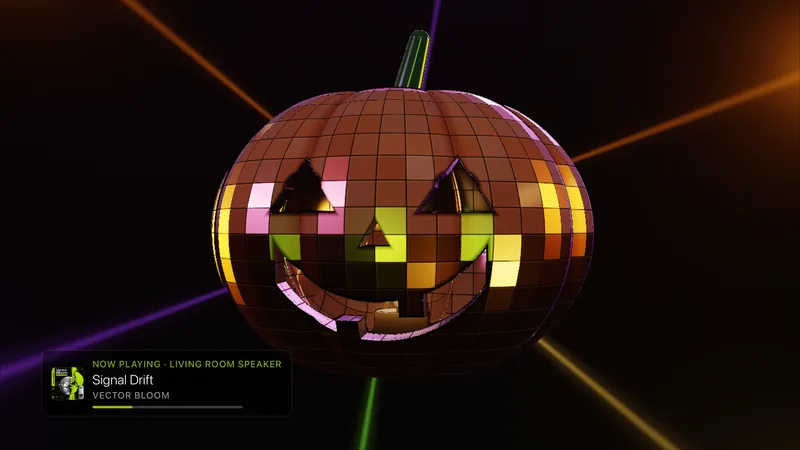
- Mirror Pumpkin is a pumpkin tiled in orange mirror facets, turning and throwing beams and spots of colored light around a hazy room. Through the carved face you see a candle burning inside.
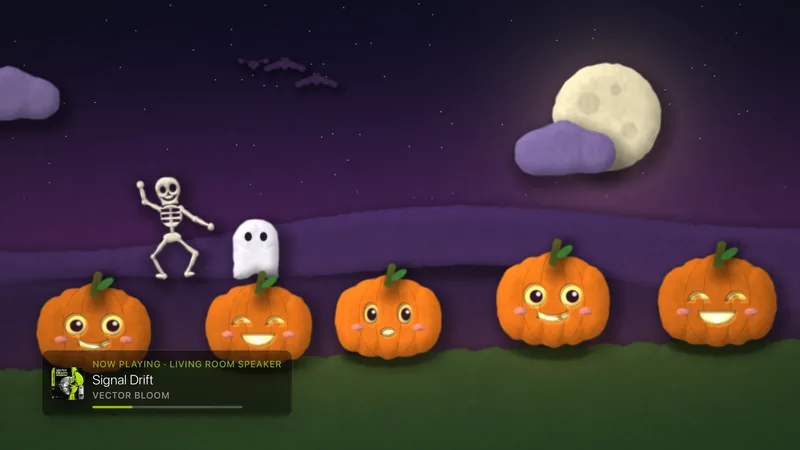
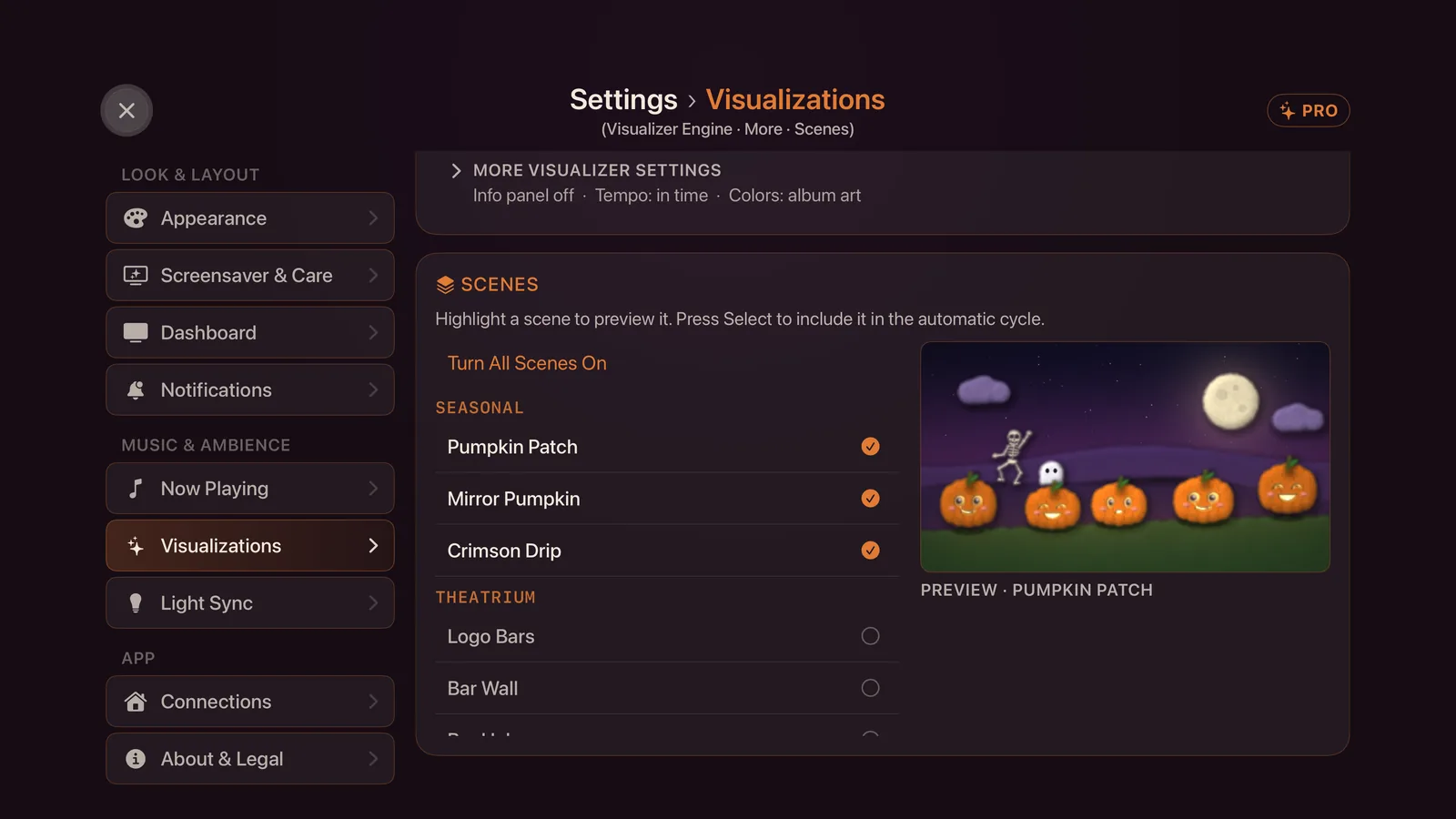
- Pumpkin Patch is a cut-paper night scene: pumpkins with friendly faces, a dancing skeleton, a ghost, and bats that cross a large moon.
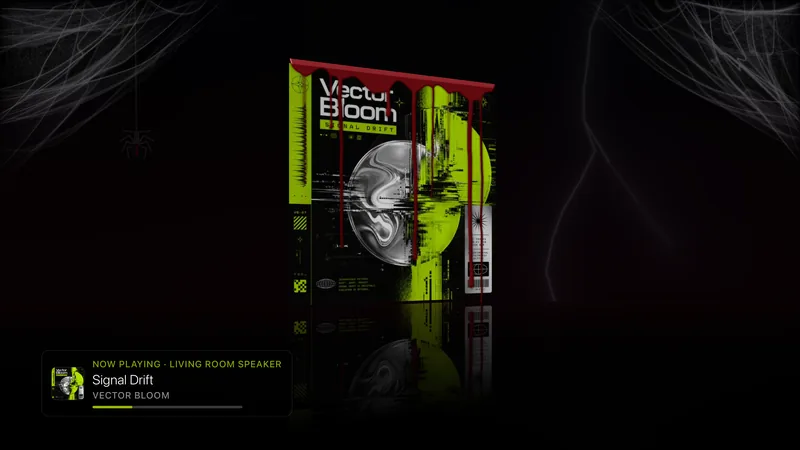
- Crimson Drip stands your album cover on a glossy black floor, with its reflection. Crimson drips run down the cover from a pool along the top, with cobwebs in the corners and the odd flash of lightning against a near-black sky. The lightning stays on the screen; it is never sent to your room lights.
They sit together under Seasonal in Settings › Visualizations, first in the list while Halloween Mode is on and last otherwise. With Halloween Mode off, they are hidden from the pickers.
Free in October, Pro the rest of the year
A taster for everyone, then the same Pro as the rest of Theatrium.
- Free for everyone in October — the Pumpkin Patch visual, and the Candlelit Glass background on the Glass theme. Without Pro you can still turn Halloween Mode on and get both.
- Theatrium Pro — Mirror Pumpkin and Crimson Drip all year; the Halloween backgrounds for Estate, Bento and Boardroom; Pumpkin & Plum; the Halloween palette for album art and lights; and, from 1 November, Pumpkin Patch and Candlelit Glass.
On 1 November the two free pieces become Pro with the rest. If you are using one then without Pro, Theatrium moves you back to your previous choice rather than leaving you on a locked one. Pro is a single purchase, not a subscription; see Theatrium Pro. Without Pro, the pieces that need it show the usual lock and stay as they were.
A countdown to Halloween
The Countdown card has Halloween built in, with a pumpkin icon if you turn on Show icon. Add one to a panel and choose Halloween, and it counts the sleeps to the 31st as a large figure in a ring or as a row of moons. One event is free.
Gloss Black
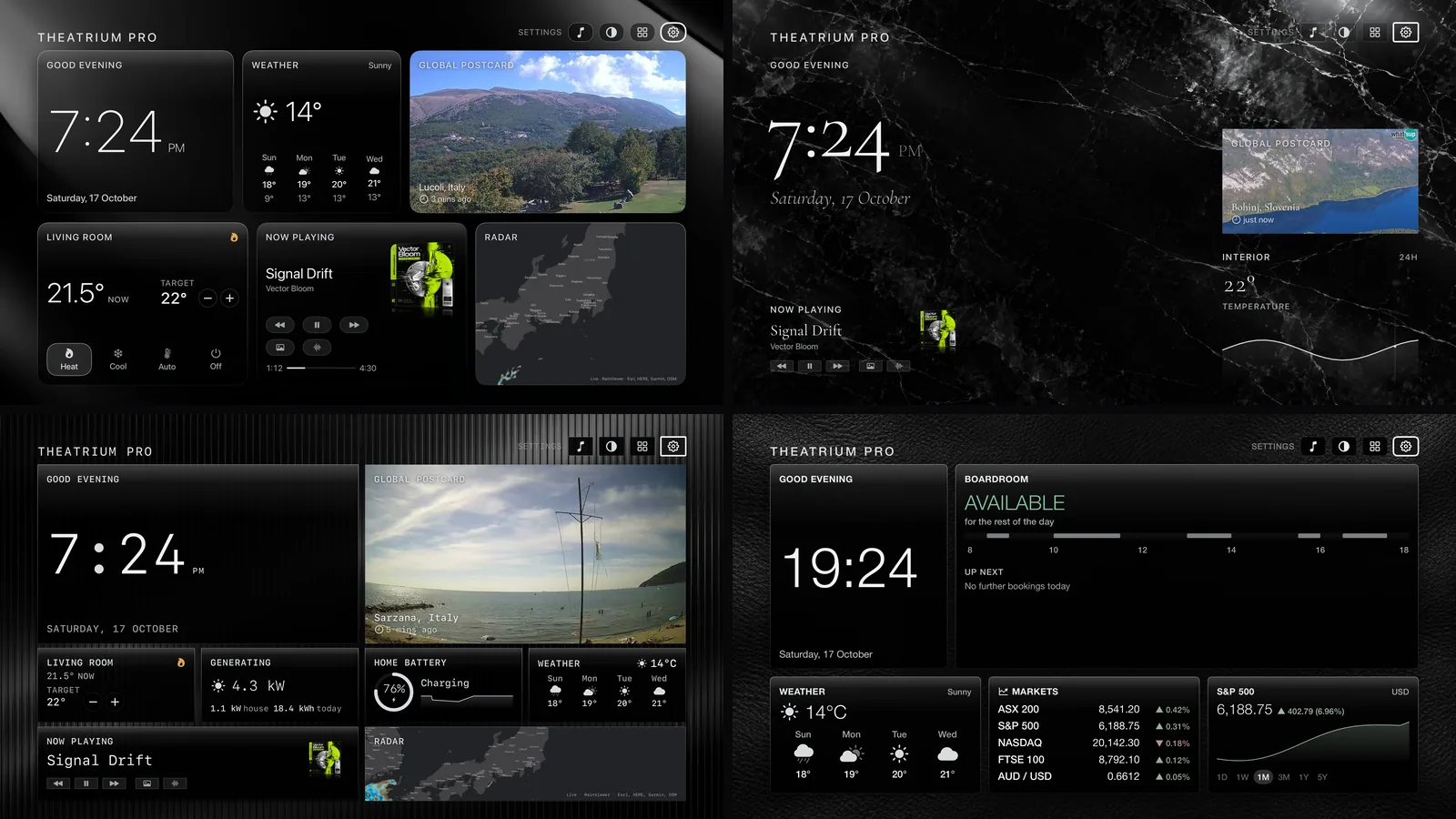
New alongside the pack, and not tied to the season: Gloss Black, a color set that puts the whole dashboard in glossy black, in Appearance › More appearance settings › Color Palette. Each theme has a black background to match — Black Mirror for Glass, Black Marble for Estate, Fluted Noir for Bento and Black Leather for Boardroom — in the Background picker. Halloween Mode applies Pumpkin & Plum, not Gloss Black; choose Gloss Black yourself. It is part of Theatrium Pro.
Turning it off
Select Halloween Mode again, here or on your phone. Your background, colors, album-art palette and visuals go back to what they were when you turned it on. Anything you changed yourself while it was on — a different background, say — is kept rather than overwritten. With the switch off, the Halloween backgrounds, colors, palette and visuals are hidden from the pickers.
If something doesn’t look right
- The background did not change. The Halloween backgrounds for Estate, Bento and Boardroom need Pro. Glass changes without it in October. Switch to Glass, or unlock Pro.
- Only some visuals play. That is the switch doing its job: while Halloween Mode is on, the cycle holds only the Halloween visuals you can use. Without Pro outside October there are none, so your own cycle is left as it was.
- Mirror Pumpkin or Crimson Drip shows a lock. Both are Pro all year. Only Pumpkin Patch and Candlelit Glass have a free October.
- The room lights did not change. Turn on Light Sync under Settings › Light Sync and choose the lights. Then check that Now Playing › More Now Playing settings › Colors is set to Halloween, and that you have Pro: the Halloween palette is part of it.
- The phone has no Halloween Mode switch. It needs Theatrium 1.9 on the TV, and appears near the top of Settings in September and October.
This guide is general information, provided “as is” with no warranty of any kind. It describes independent third-party software that Theatrium does not control, and the steps involve installing software and changing settings on your own equipment — back up first and proceed at your own risk. Read the full disclaimer.