Guides › Information cards
The Word of the Day card
A new word and its meaning each day, in the style of whichever theme you use.
What it shows
A new word each day: the word itself, its part of speech and its meaning. The words come from Wiktionary's word of the day, a public feed from the free dictionary. It publishes about ten entries, one for each day, and the card shows today's entry, or the newest one if today's has not appeared yet. It is read-only, needs no account and no smart home, and works on every theme.
Wide and tall tiles show the word and its meaning together. On a small tile or a strip there is room for only one at a time, so the card alternates between the word and its meaning every 8 seconds. Two dots at the foot of the card show which of the two is on screen.
Add the card
Every card is added the same way. If you have done this before, skip ahead.
- On the dashboard, move to a card you want to replace. Press and hold the center of the remote's pad for about a second. The card dims and a Modify button appears on it.
Hold the center of the pad on the card you want to change. - Press the center once to choose Modify. The Choose a card screen opens.
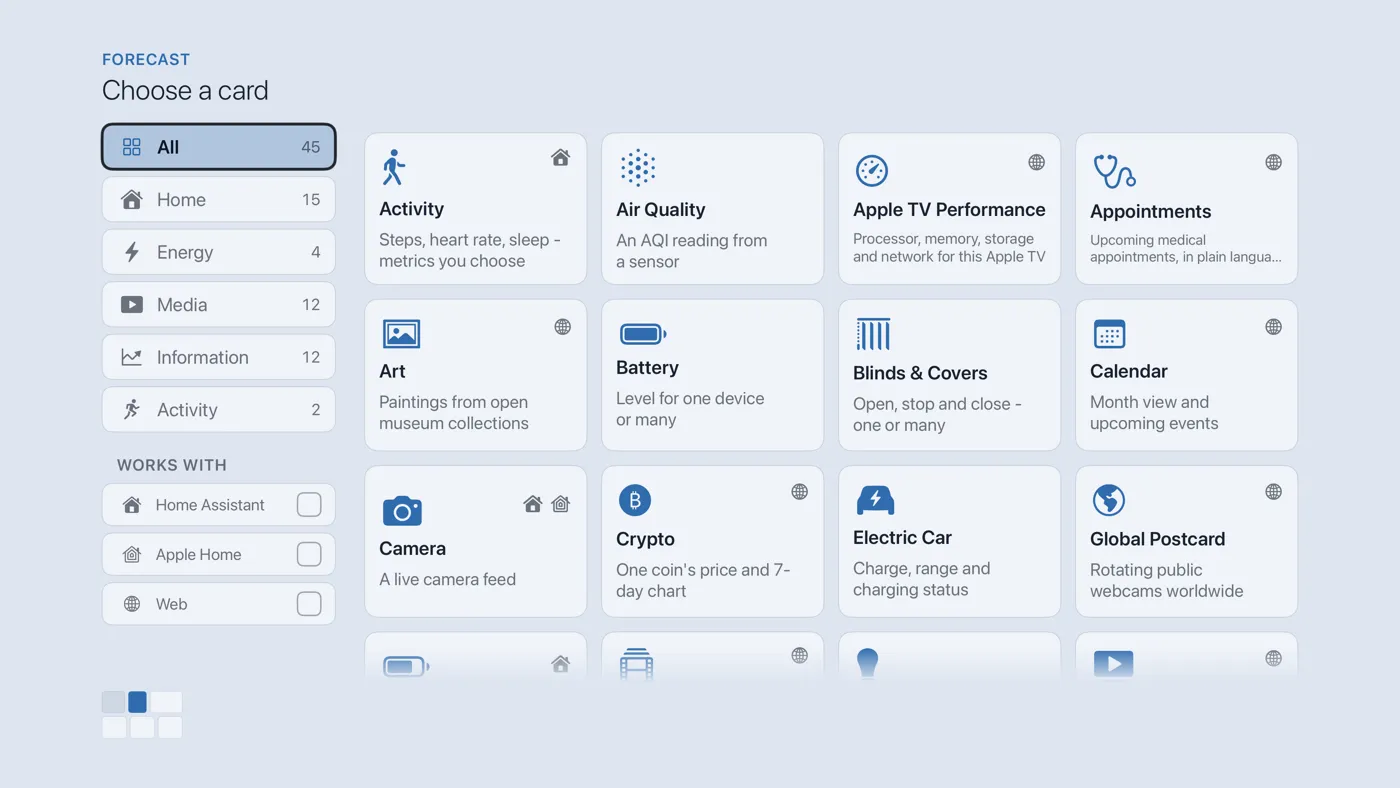
The Choose a card screen. The list down the left side narrows the cards by group. - On the left, choose Information, then move right and choose Word of the Day. (You can also leave the list on All and scroll; it is in alphabetical order.)
- There is nothing to set up. A card that needs no setup is added the moment you select it. You return to the dashboard with the new card in place.
Good to know
- On a small tile, press Select to switch between the word and its meaning at once. The face you chose stays on screen for 30 seconds before the card goes back to alternating.
- The card saves the last word, so it still draws when the internet is down. It asks the feed for a fresh entry about every three hours.
- Wiktionary's text is shared under a free license that requires a credit, so the card carries Wiktionary · CC BY-SA in small type.
- Meanings are written in English.