Guides › Settings
Settings › Connections, explained
Every outside thing Theatrium talks to lives on one page: your smart home, cameras and streams, your location, calendars, your media server, your phone, iCloud and your car.
Where it is
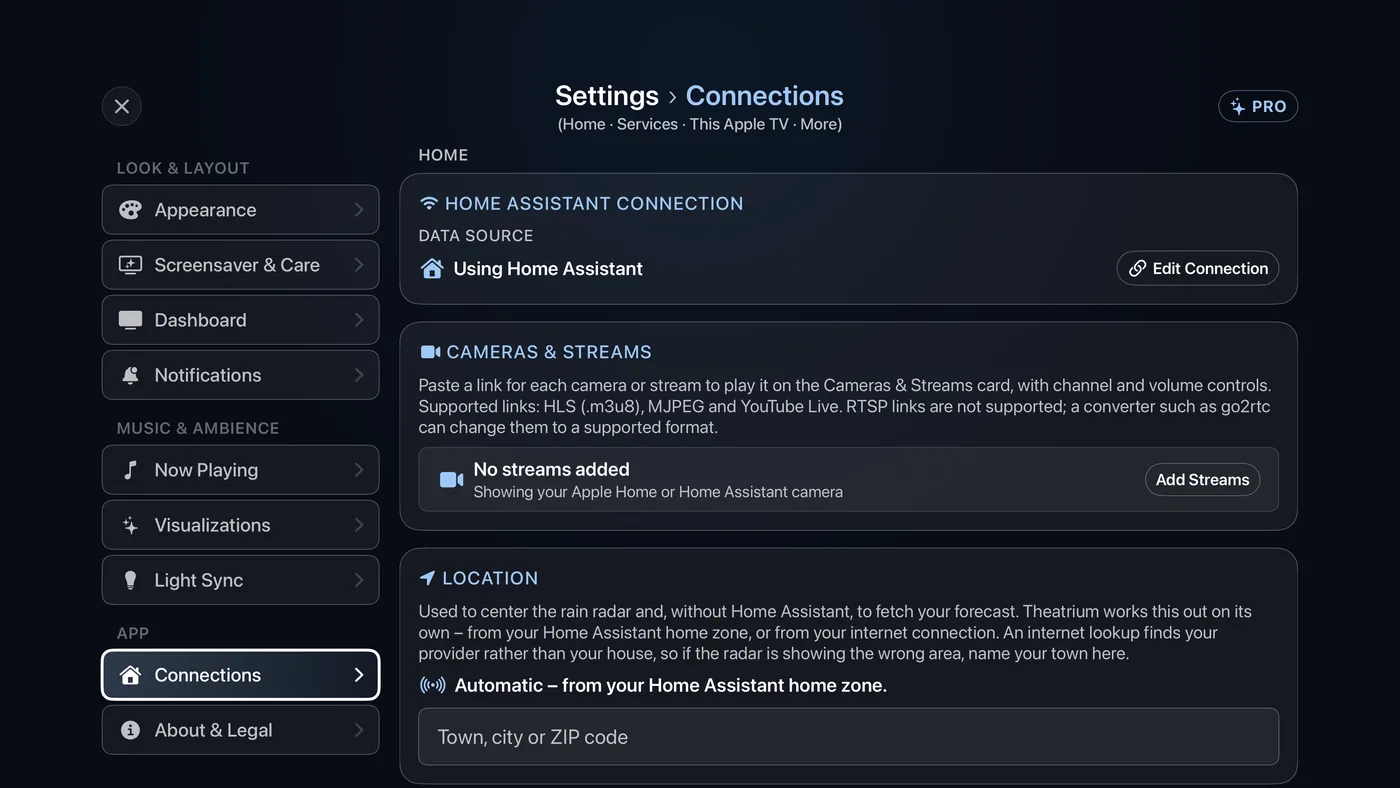
Select the gear at the top right of the dashboard to open Settings, then choose Connections under App in the list on the left. The cards sit under three headings, Home, Services and This Apple TV, and one closed row, More connection settings, ends the page. Here is what each card does and which guide covers it.
| Card | What it is for | Guide |
|---|---|---|
| Home Assistant Connection (called Connection with Apple Home or no smart home) | Which smart home Theatrium reads. With Home Assistant it says Using Home Assistant and offers Edit Connection to change the address or token. With Apple Home it says Using Apple Home. With no smart home it offers Connect a Smart Home, which runs setup again. | Connect Home Assistant, Connect Apple Home, No smart home |
| Cameras & Streams | The camera and stream links for the Cameras & Streams card. Select Add Streams (or Edit) to open its setup screen and build the channel list. Links can be HLS (.m3u8), MJPEG or YouTube Live; RTSP links are not supported. | The Cameras & Streams card |
| Location | Where you are, used to center the rain radar and, without Home Assistant, to fetch your forecast. Type your town, city or ZIP code if the automatic guess is wrong. | The Weather card, The Weather Radar card |
| Calendar | The household calendar's .ics link. Left blank, Theatrium uses the calendars it finds in Home Assistant. | The Calendar card |
| Phone Remote | The switch Let a phone control Theatrium. With it on, the Theatrium app on an iPhone or iPad can find this Apple TV and control Theatrium's visuals, lights and music. Pairing needs a code shown on this screen. | The Theatrium app for iPhone and iPad |
| Media Server | Your Plex server. The row reads Set up Plex, or Connected to your server's name, and opens the Plex sign-in screen. The same link also lets Plex be a Now Playing source. | Connect your Plex server |
| iCloud Sync | On or Off. On, themes, cards, settings and your connection address are shared between your Apple TVs. Each TV keeps its own sign-in and its own choice of smart home and music source. | iCloud Sync |
| More connection settings | Everything set once and rarely changed: Refresh Interval (15, 30 or 60 seconds, Home Assistant only), Switch… to another smart home or to none, Use Automatic to drop a location set by hand, the calendars found in Home Assistant, the separate Appointments calendar, Paired Phones with Remove, and Vehicle (Tessie), a Tesla for the Electric Car card. | The Appointments card, The Electric Car card |
About the Location card
Theatrium centers the rain radar, and, without Home Assistant, fetches your forecast, from this location. It works it out on its own, from your Home Assistant home zone or from your internet connection. An internet lookup finds your internet provider rather than your house, so if the radar shows the wrong area, type your town, city or ZIP code here and choose the match. To go back to the automatic location, open More connection settings and select Use Automatic.